
Concoction!
I don't know my version or loader


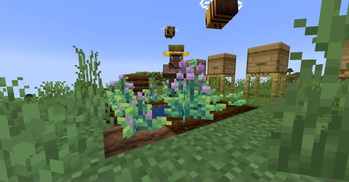


🧪 About Concoction
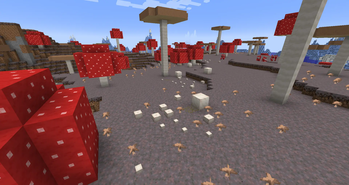
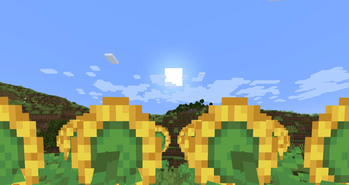
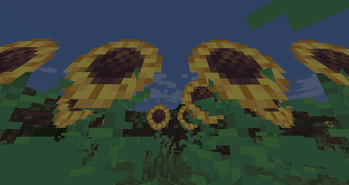
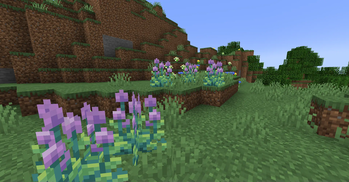
Concoction overhauls the food system in a way that enhances exploration and immersion while staying true to the Vanilla spirit.
Instead of punishing players for eating the same food, Concoction gives every food its own niche effect, turning even the most overlooked foods into valuable options. Many foods now have their own flavors, that impact your gameplay in different ways! Some flavors are better for fighting, others for farming and mining, and some flavors can help during building or grinding experience!
⚠️ This mod is still in development!
🧵 Major updates come periodically—feedback is appreciated! (Development is currently paused)
❓ Q&A
💬 Commonly asked questions.
Q: Can you add compatibility with Farmer's Delight?
A: No. Concoction is a standalone alternative with its own goals. Compatibility would reduce design integrity and cause conflicts.
Q: Is the mod still in development?
A: Currently development is paused. You can follow progress on our GitHub.
Q: Can I help translate the mod?
A: Absolutely! Submit localization files via GitHub—approved contributions will be added in future updates.
Q: I found a bug or issue—what do I do?
A: Report it on our GitHub issues page. We'll take a look as soon as possible. Currently development is paused, so fixing the bug might take quite a while.
Q: Are beta versions safe to play?
A: Mostly, yes! Your world won’t be corrupted, but bugs might exist. Betas let you preview features and help improve stability.
Q: I saw something in a screenshot that isn’t in-game?
A: Screenshots may include beta features or content from future updates. Make sure you’re using the latest version, or try a beta!
💡 We’re Open to Feedback
Got a cool idea or a suggestion?
Leave a comment or open an issue on GitHub. We’re always happy to hear from you!
- Edition: Minecraft Java
- File type: .jar
- Minecraft versions listed: 1.21, 1.21.1
- How to install: Install the matching mod loader (Forge, Fabric or NeoForge) for your Minecraft version. → Download the .jar. → Put it in the .minecraft/mods folder and launch that loader profile.
- Where to get it: Opens on Modrinth — not every file is mirrored on our own servers.
Install steps are the general flow for this file type — How to install Minecraft Java mods & modpacks walks through it step by step.
- Ships as concoction-1.6.2-neoforge (1.21-1.21.1).jar — drop this file into the mods folder
- Download size: 4.3 MB
- Download link checked 31 Aug 2026 — working
These come from our own check of the pack file, not from the source page.