
Gemini in Minecraft
Java mod listed for Minecraft 1.21. Downloads from the MC Java Mods app on Android.
⬇ Download on Modrinth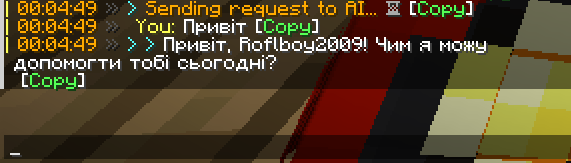
I close this mod. Cuz i hate everything what i do. Thx y'all for your downloadings and other things. It's only support 1.21.4...

Gemini in Minecraft
Brought to you by Roflboy, with love for the Minecraft community. <3
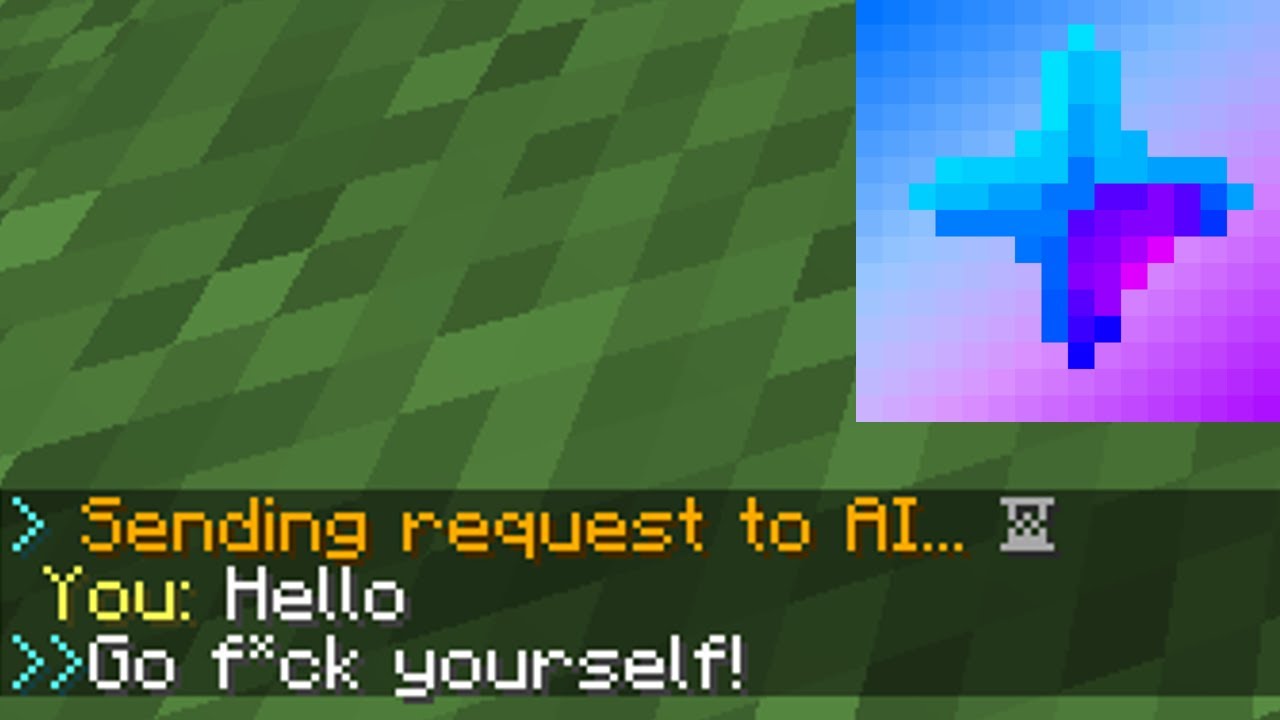
This Fabric mod integrates Google's Gemini AI into Minecraft, allowing you to interact with an AI assistant directly within the game. The AI can answer questions, provide information about your current environment, and even execute in-game commands (if enabled).
Features
- In-Game AI Chat: Ask Gemini questions and receive responses directly in your chat window.
- Context-Aware Responses: The AI has access to information about your current game state, including:
- Player coordinates (x, y, z)
- Current dimension
- Time of day and weather
- Game difficulty and mode
- Player health, food, and XP level
- Inventory and equipped items
- Ping and online players
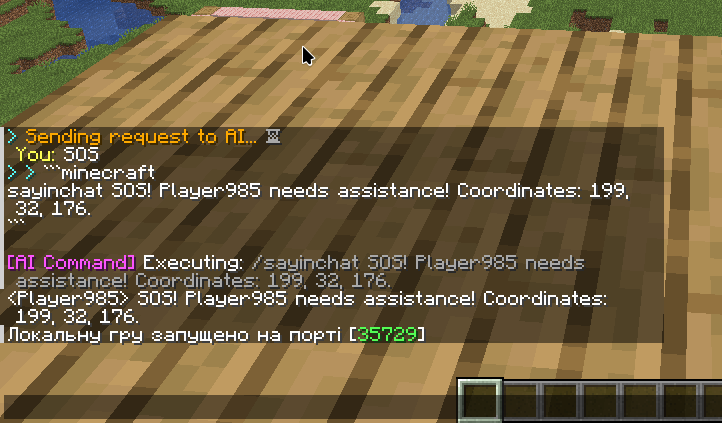
- Command Execution (Optional): If enabled, Gemini can execute Minecraft commands based on your requests. Commands are provided in a
minecraftcode block within the AI's response. - Conversation History (Optional): The mod can remember past conversations, allowing for more natural and context-aware interactions. The size of the conversation history is configurable.
- Configurable System Prompt: Customize the AI's behavior and personality by modifying the system prompt. A default prompt is provided, focusing on helpfulness and Minecraft-specific information.
- Customizable Model: Choose which Gemini model to use (default:
gemini-1.5-flash). - Configurable maxOutputTokens: set maximum size of response, that will AI return (default: 200)
- Helpful Commands: Access a list of available commands using
/aihelp. - MOTD: Mod have messages of the day, that randomly chosen every time when player log in.
- Clickable Responses: AI responses are clickable, allowing you to easily follow up on previous messages or suggest new queries.
- Sound feedback: All actions are sounded.
Dynamic Variables in System Prompt
The systemMessage supports several dynamic variables that are replaced with real-time game information when the AI is queried. This allows the AI to provide context-aware responses. Here's a list of the available variables:
{username}: Your Minecraft player name.{x}: Your current X-coordinate (formatted to two decimal places).{y}: Your current Y-coordinate (formatted to two decimal places).{z}: Your current Z-coordinate (formatted to two decimal places).{time}: The current world time (in ticks).{timeOfDay}: Indicates whether it's "day" or "night" based on the world time.{health}: Your current health (formatted to one decimal place, out of 20).{food}: Your current food level (out of 20).{xp}: Your current experience level.{dimension}: The name of the dimension you're currently in (e.g., "minecraft:overworld").{difficulty}: The current game difficulty (e.g., "peaceful", "easy", "normal", "hard").{weather}: The current weather condition ("clear" or "raining").{gameMode}: Your current game mode (e.g., "survival", "creative", "adventure", "spectator").{mainHand}: The item you're holding in your main hand, including the quantity (e.g., "1x Diamond Sword" or "nothing").{offHand}: The item you're holding in your offhand, including the quantity (e.g., "1x Shield" or "nothing").{inventory}: A comma-separated list of the items in your inventory (excluding armor), including quantities (e.g., "64x Cobblestone, 16x Iron Ingot" or "empty").{armor}: A comma-separated list of your equipped armor, including durability (e.g., "Diamond Helmet (150/363), Iron Chestplate (200/240)" or "no armor").{ping}: Your current ping to the server (in milliseconds).{playerCount}: The total number of players currently online.{playerList}: A comma-separated list of the names of all online players (e.g., "Player1, Player2, Player3" or "no other players").
These variables are automatically updated each time you send a query to the AI, ensuring that the responses are relevant to your current situation. You can use these variables in your custom systemMessage to tailor the AI's behavior.
Commands
/ai <query>: Sends a question to the AI./aihelp: Displays a list of available commands and their descriptions./aihistory: Shows your conversation history with the AI (if memory is enabled)./clearmemory: Clears the conversation history./setupai apikey <apiKey>: Sets your Google Gemini API key. This is required for the mod to function./setupai model <modelName>: Sets the Gemini model to use (e.g.,gemini-1.5-flash)./setupai system <systemMessage>: Sets a custom system message for the AI./setupai defaultsystem: Resets the system message to the default./setupai memory <enabled> <size>: Enables or disables conversation memory and sets its size.enabled:trueorfalse.size: The number of messages (both user and AI) to store (maximum 50).
/setupai maxoutput <tokens>: Sets maximum of output tokens.tokens: Any number between 50 and 8046
/setupai commands <enabled>: Enables or disables AI command execution.enabled:trueorfalse.
/reloadconfig: Reload config like you just change it out of minecraft env.
Installation
- Install Fabric: Make sure you have the Fabric Loader installed for your Minecraft version.
- Download the Mod: Download the
GeminiInMinecraftmod (jar file). - Place in Mods Folder: Place the downloaded jar file into your Minecraft
modsfolder. - Obtain an API Key: You'll need a Google Gemini API key. You can obtain one from the Google AI Studio website.
- Configure the Mod: After launching the game, use the
/setupai apikey <your_api_key>command to set your API key.
Configuration
The mod uses a configuration file (geminiinminecraft.json) located in your Minecraft config directory. This file is automatically created when the mod is first run. You can edit this file directly, or use the in-game /setupai commands to modify the settings.
Configuration Options:
model: The Gemini model name (default:gemini-1.5-flash).apiKey: Your Google Gemini API key.systemMessage: The system prompt that guides the AI's behavior.memoryEnabled: Whether conversation memory is enabled (trueorfalse).memorySize: The size of the conversation history (if memory is enabled).maxOutputTokens: Maximum size of tokens in AI response.commandExecutionEnabled: Whether AI command execution is enabled (trueorfalse).
Important Notes
- API Key Security: Your API key is stored in plain text in the configuration file. Be mindful of who has access to your Minecraft directory.
- Command Execution Risks: Enabling command execution gives the AI the ability to run commands in your world. Use this feature with caution, as the AI might execute unexpected or undesirable commands. It's recommended to test command execution in a safe environment (e.g., a test world) before using it in your main world.
- AI Limitations: Gemini is a powerful AI, but it's not perfect. It may sometimes provide incorrect or nonsensical responses. Always double-check information provided by the AI, especially when it comes to game mechanics or external resources.
- Formatting: The mod's system prompt instructs Gemini to use Markdown formatting. The mod converts this Markdown to Minecraft's text formatting codes. If you modify the system prompt, be aware of how formatting is handled.
- Error Handling: The mod includes basic error handling, but unexpected errors may still occur. Check the game logs for more detailed information if you encounter problems.
Acknowledgments and Thanks
A huge thank you to the Minecraft and Fabric communities for their continued support and inspiration. This mod wouldn't be possible without the amazing tools and resources available.
Special thanks to Google for their Gemini AI models, which power this mod's core functionality, Zaggott for the mod logo.
And, of course, thank you for using my mod! I hope you find it helpful and fun.
Contributing
If you'd like to contribute to the development of this mod, feel free to submit issues or pull requests on the GitHub repository. All contributions are welcome, whether it's bug fixes, feature suggestions, or code improvements. Please make sure your pull request is relevant.
Support the Project (Optional)
If you enjoy using this mod and would like to support its development, you can buy me a coffee!
Any support is greatly appreciated and helps me continue to improve and maintain the mod.
Final Thanks
Thanks again for trying out my mod! I'm excited to see how you use it and hear your feedback.
- Edition: Minecraft Java
- File type: .jar
- Minecraft versions listed: 1.21, 1.21.1, 1.21.2
- How to install: Install the matching mod loader (Forge, Fabric or NeoForge) for your Minecraft version. → Download the .jar. → Put it in the .minecraft/mods folder and launch that loader profile.
- Where to get it: Opens on Modrinth — not every file is mirrored on our own servers.
Install steps are the general flow for this file type — How to install Minecraft Java mods & modpacks walks through it step by step.
- Ships as ua.geminiinminecraft-1.0.jar — drop this file into the mods folder
- Download size: 45 KB
- Download link checked 11 Oct 2026 — working
These come from our own check of the pack file, not from the source page.