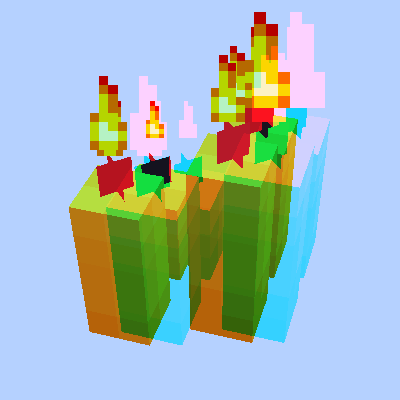
Anaglyph-fabric
Requires: ClothConfigAPI; ModMenu
Red-cyan by default
Options (in ModMenu):
- Eye separation (Instructions below)
- Eye angle (set to 2⋅tan^(-1) ⋅ (distance between eyes)/(2 ⋅ distance to monitor) for best experience)
- Glasses RGB ( FTT for red-cyan, TTF for blue-yellow, etc)
- Crosshair rendering (as it is very distracting to aim with two of them)
- Grayscale fog (overworld one is blue, nether is red - both very bad for R-C glasses)
Nether has a very bad color scheme, so play a few hours in overworld first. Recommended with something like https://www.curseforge.com/minecraft/texture-packs/pack-and-white to get used to the unusual eye position in Nether. You really should play around 2 days with it
Don't look at diamonds/lava until you feel confident with colors
 |  |  |  |
| Source | |||
Quick facts
- Edition: Minecraft Java
- File type: .jar
- Minecraft versions listed: 1.20, 1.20.1, 1.20.2
- How to install: Install the matching mod loader (Forge, Fabric or NeoForge) for your Minecraft version. → Download the .jar. → Put it in the .minecraft/mods folder and launch that loader profile.
- Where to get it: Opens on Modrinth — not every file is mirrored on our own servers.
Install steps are the general flow for this file type — How to install Minecraft Java mods & modpacks walks through it step by step.
Verified by MCModsHub
- Ships as anaglyph-fabric-0.1.1.jar — drop this file into the mods folder
- Download size: 32 KB
- Download link checked 31 Aug 2026 — working
These come from our own check of the pack file, not from the source page.