
DECO BEACONS
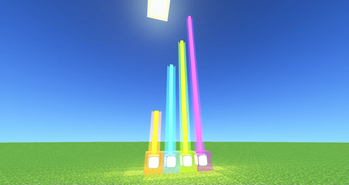
Adds decorative beacons


DECO BEACON
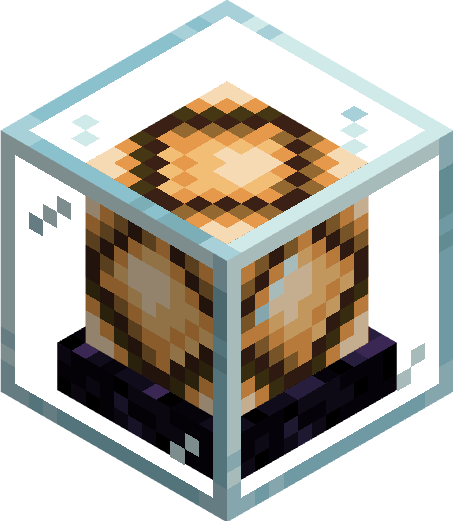
Beam collides with block
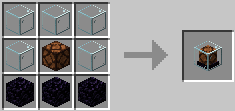
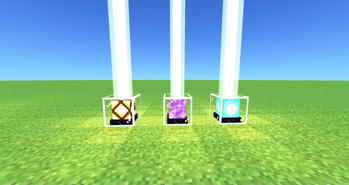
GHOST DECO BEACON

Beam passes thru blocks
Block has no collision itself
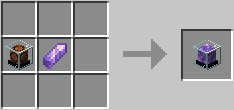
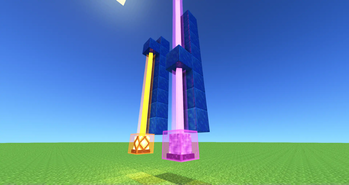
OMNI BEACON
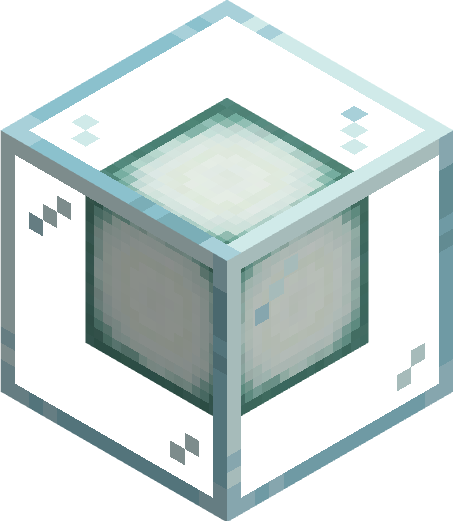
Beam can be redirected
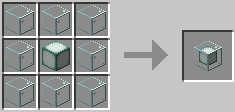
also has ghost variant
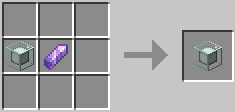
FAKE BEACON

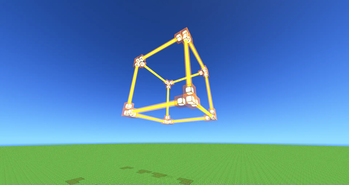
Looks like an actual beacon...
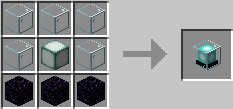
Also has ghost variant
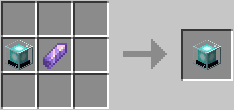
HOW TO
TURN ON/OFF
give it a redstone signal to activate the beacon. Toggle ActiveLow mode by R-Clicking it with a redstone torch
SET COLOR
Cycle thru the colors by R-Clicking the beacon with an empty hand. Shift R-Clicking it cycles thru the colors in reverse. R-Clicking it with a dye changes the color. It does not consume the dye.
SET BEACON TRANSPARENCY
DecoBeacon light beams can pass thru other decobeacons and change the beams color. R-clicking with a Sand block makes the surface abrasive and stops the light beam from passing thru. Applying sand to a ghost beacon doesn't stop any light beam from passing thru however it does stop the ghost beacon from affecting the light beam's color
USE GHOSTS
Each beacon has a ghost variant. They work the same way with a few exceptions. Light beams from Ghost beacons pass thru blocks (except opaque beacons). As "ghosts" these blocks don't have collision letting you walk thru them.
USE BOOK SETTINGS
We can write down beacon settings in a Book-&-Quill and apply it to a beacon by R-Clicking. Make sure to separate each setting with a comma "," and recheck what we type in. The beacon will "calmly" point out what we did wrong
General Settings:
activeLow:true/false
- if set to true, the beacon is "ACTIVE" when the redstone signal you give it is "LOW"
isTransparent:true/false
- if set to false, decobeacon light beams cannot pass thru this decobeacon... except if this decobeacon is a ghost variant.
- setting this to false on a ghost variant beacon stops the beacon from affecting the passing light beam's color
color:white/orange/magenta/light_blue/yellow/lime/pink/gray/light_gray/cyan/purple/blue/brown/green/red/black
- set beacon color
OmniBeacon Exclusive Settings:
The following settings only work with omni beacons
direction: north/south/east/west/up/down
- sets the direction of the light beam
maxBeamLenght: integer
- sets the max length of the light beam
Examples:
DECOBEACON SETTINGS: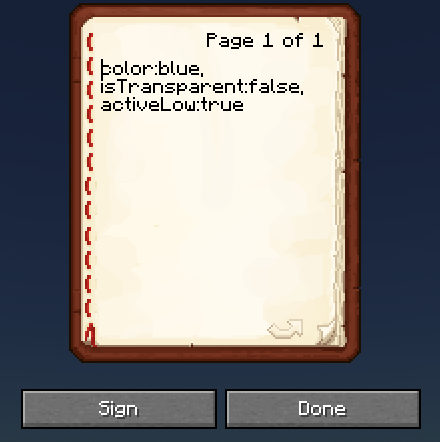
OMNIBEACON SETTINGS: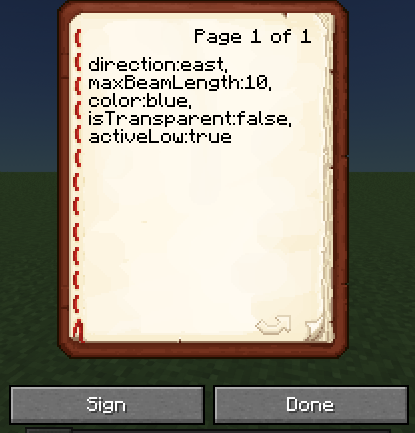


- Edition: Minecraft Java
- File type: .jar
- Minecraft version listed: 1.18.2
- How to install: Install the matching mod loader (Forge, Fabric or NeoForge) for your Minecraft version. → Download the .jar. → Put it in the .minecraft/mods folder and launch that loader profile.
- Where to get it: Opens on Modrinth — not every file is mirrored on our own servers.
Install steps are the general flow for this file type — How to install Minecraft Java mods & modpacks walks through it step by step.
- Ships as decobeacons-0.0.1-1.18.2-Fabric.jar — drop this file into the mods folder
- Download size: 214 KB
- Download link checked 31 Aug 2026 — working
These come from our own check of the pack file, not from the source page.