
Custom Potions
I don't know my version or loader
Custom Potions
Provides a server side only way to add custom potions using datapacks.
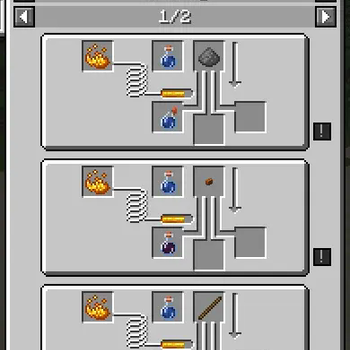
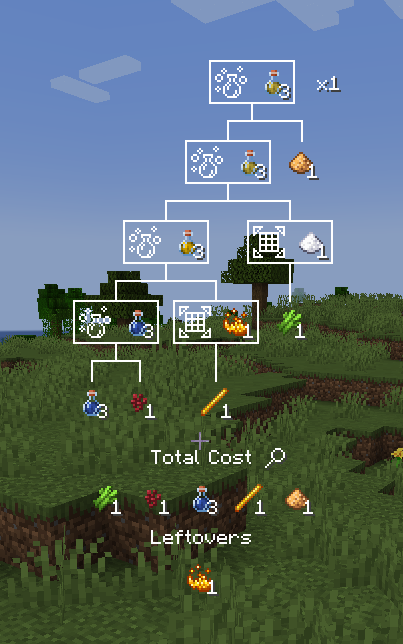
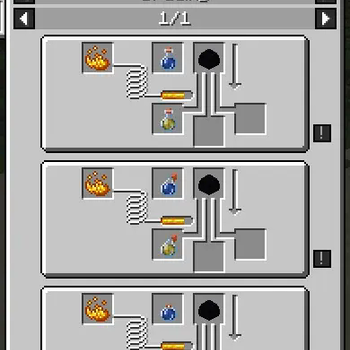
When installed on the client, it provides integration with REI and EMI. (Only up to 1.21.1. If you experience issues with it, you can disable it starting with 2.1.2+1.21.1 in config/custompotions.json)
Adding a potion
In a datapack, make a data/id/custom_potions/id.json file for your potion.
The available parameters are "fallback" for the fallback name of the potion, if translations are unvailable (Potion of {fallback}, Arrow of {fallback}, Splash {fallback}, Lingering {fallback}), an array of effects following the vanilla format, and an optional color using the same format as vanilla.
For example:
{
    "fallback": "Bad Luck",
    "effects": [
        {
            "id": "minecraft:unluck",
            "duration": 6000,
            "amplifier": 1
        }
    ],
    "color": 5841183
}
Adding a potion recipe
In your datapack, make a data/id/potion_recipes/id.json file for your recipe. The available parameters are "reagent", which takes in an item id, and is the ingredient used in the top of the brewing stand to make the potion. There are also "base" and "result", which both use the same format, and define the input and output potions used in the recipe. They have the parameters "type", which takes in either "custompotions:vanilla" for vanilla (or modded) potions, and "custompotions:custom" for potions added by datapack using this mod.
For example:
{
    "reagent": "minecraft:poisonous_potato",
    "base": {
        "type": "custompotions:vanilla",
        "potion": "minecraft:awkward"
    },
    "result": {
        "type": "custompotions:custom",
        "potion": "potionstuffs:bad_luck"
    }
}
{
    "reagent": "minecraft:nautilus_shell",
    "base": {
        "type": "custompotions:vanilla",
        "potion": "minecraft:awkward"
    },
    "result": {
        "type": "custompotions:vanilla",
        "potion": "minecraft:luck"
    }
}
Translating
The translation key follows the format of custompotion.namespace.id.type. For example, custompotion.mypotions.bad_luck.normal, custompotion.mypotions.bad_luck.splash, custompotion.mypotions.bad_luck.lingering,
and custompotion.mypotions.bad_luck.arrow.
You can use these in a language json file like so:
{
    "custompotion.mypotions.bad_luck.normal": "Unlucky Potion",
    "custompotion.mypotions.bad_luck.splash": "Throwable Unlucky Potion",
    "custompotion.mypotions.bad_luck.lingering": "Lingering Unlucky Potion",
    "custompotion.mypotions.bad_luck.arrow": "Unlucky Arrow"
}
- Edition: Minecraft Java
- File type: .jar
- Minecraft versions listed: 1.21, 1.21.1
- How to install: Install the matching mod loader (Forge, Fabric or NeoForge) for your Minecraft version. → Download the .jar. → Put it in the .minecraft/mods folder and launch that loader profile.
- Where to get it: Opens on Modrinth — not every file is mirrored on our own servers.
Install steps are the general flow for this file type — How to install Minecraft Java mods & modpacks walks through it step by step.
- Ships as CustomPotions-2.1.2+1.21.1.jar — drop this file into the mods folder
- Download size: 62 KB
- Download link checked 31 Aug 2026 — working
These come from our own check of the pack file, not from the source page.