
BET - Block'n'Entity Tooltip
BET - Block’n’Entity Tooltip shows you the name of any block or entity you’re looking at in Minecraft, making it easy to identify what’s around you!
I don't know my version or loader
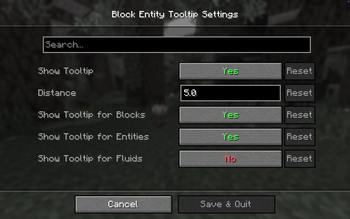
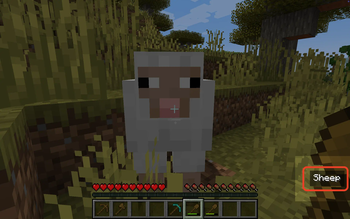
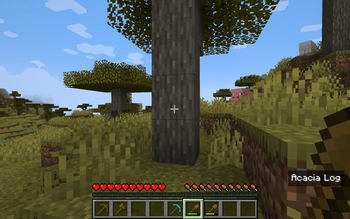
BET - Block’n’Entity Tooltip
All the information with F3 is too much and you are actually just interested in having just a small peek in what you are looking at? BET brings you a tooltip, simply look at any block or mob, and the name will appear on your screen instantly. No more guessing what that block is or wondering what mob you’re facing—BET gives you the name right on the game screen. No need to switch to another screen. Whether you're exploring, building, or just discovering, this mod makes your Minecraft experience smoother and more intuitive. Perfect for players of all levels who want quick, in-game knowledge!
- Edition: Minecraft Java
- File type: .jar
- Minecraft versions listed: 26.1, 26.1.1, 26.1.2
- How to install: Install the matching mod loader (Forge, Fabric or NeoForge) for your Minecraft version. → Download the .jar. → Put it in the .minecraft/mods folder and launch that loader profile.
- Where to get it: Opens on Modrinth — not every file is mirrored on our own servers.
Install steps are the general flow for this file type — How to install Minecraft Java mods & modpacks walks through it step by step.
- Ships as block-entity-tooltip-4.9.0.jar — drop this file into the mods folder
- Download size: 45 KB
- Download link checked 31 Aug 2026 — working
These come from our own check of the pack file, not from the source page.