
✨ Particly ✨

✨ Enhance your project with a diverse range of particle effects designed to add depth and visual appeal!
🎨 These carefully crafted effects provide subtle yet noticeable improvements, creating a more dynamic and immersive environment.
🌍 Whether used for atmosphere, interaction, or visual feedback, they contribute to a more engaging and polished experience.
Requirements
But for other version a different api might be used, just check in the versions Tab!
Config:
- toggleMod - To toggle mod On and Off
- toggleFireParticles - To toggle the Fire particles
- toggleWaterParticles - To toggle the Water particles
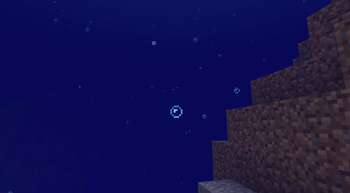
- toggleCaveParticles - To toggle the Cave particles
- SetParticleBoundingBox - Change to bounding box in which particles spawn
Mod Inspired by Particular by Chai
*Note that chatGPT wrote this description since im lazy 🤷
Quick facts
- Edition: Minecraft Java
- File type: .jar
- Minecraft versions listed: 1.21.1, 1.21.2, 1.21.3
- How to install: Install the matching mod loader (Forge, Fabric or NeoForge) for your Minecraft version. → Download the .jar. → Put it in the .minecraft/mods folder and launch that loader profile.
- Where to get it: Opens on Modrinth — not every file is mirrored on our own servers.
Install steps are the general flow for this file type — How to install Minecraft Java mods & modpacks walks through it step by step.
Verified by MCModsHub
- Ships as particly-1.0-1.21.1.jar — drop this file into the mods folder
- Download size: 16 KB
- Download link checked 31 Aug 2026 — working
These come from our own check of the pack file, not from the source page.