This mod requires geckolib to run.
Notice: This mod was made as a one-off for an ItsJim modding competition, thus it likely will not receive any updates and you may experience bugs while playing. sorry :(
Description
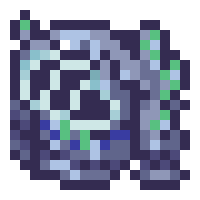
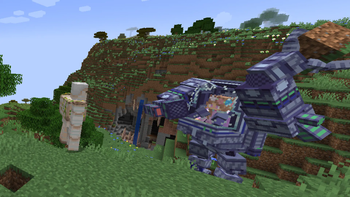
Have you ever wanted an incredibly versatile mech that could both protect you from danger and manipulate the world? Well look no further, for the Jim Mech can do both of these things!
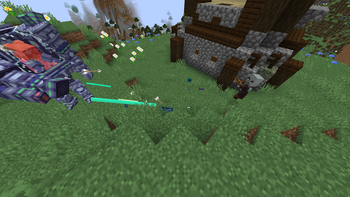
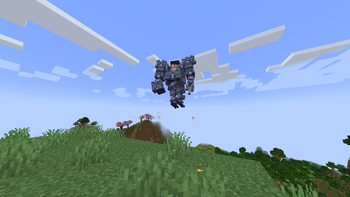
Using an advanced manipulation technique known as a mechanical arm, this mech allows you to instantly grab blocks and transport them (it even works on bedrock!), or to throw them at your enemies. Perhaps you prefer combat, and using the latest innovations in offensive technology, we've been able to transform one of the mech's arms into a machine gun, allowing quick and easy access to destruction. If you simply want transport, this mech also comes equipped with a jetpack, allowing you to soar to the skies!
Usage
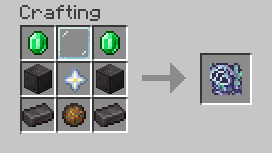
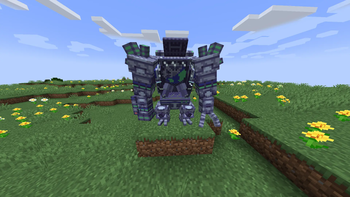
After crafting the mech, simply right click on the ground to place it down. If you'd like to pick it back up, shift right click on it.
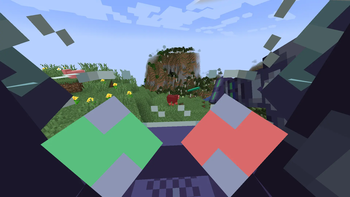
Once it is placed, right click it to enter.
While in the mech, press left click while looking at a block to pick it up. You can then press left click again to put the block down somewhere else or hold and then release right click to throw the block.
While in the mech, hold right click to shoot using the machine gun.
While in the mech, hold space to activate the thrusters and fly.
- Edition: Minecraft Java
- File type: .jar
- Minecraft version listed: 1.20.1
- How to install: Install the matching mod loader (Forge, Fabric or NeoForge) for your Minecraft version. → Download the .jar. → Put it in the .minecraft/mods folder and launch that loader profile.
- Where to get it: Opens on Modrinth — not every file is mirrored on our own servers.
Install steps are the general flow for this file type — How to install Minecraft Java mods & modpacks walks through it step by step.
- Ships as JimMech.jar — drop this file into the mods folder
- Download size: 73 KB
- Download link checked 31 Aug 2026 — working
These come from our own check of the pack file, not from the source page.