
Diary of an 8-Bit Warrior
Java mod listed for Minecraft 1.21. Downloads from the MC Java Mods app on Android.
Experience Aetheria like a Terrarian! Complete quests, kill bosses, and level up your skills! Maybe you'll even meet Runt and his friends…
⬇ Download on Modrinth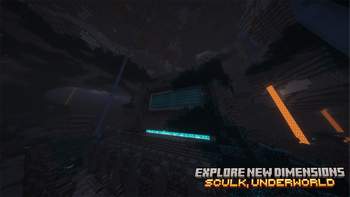
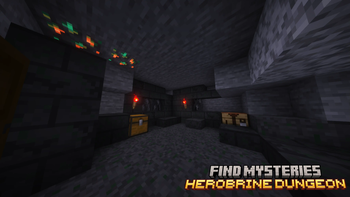
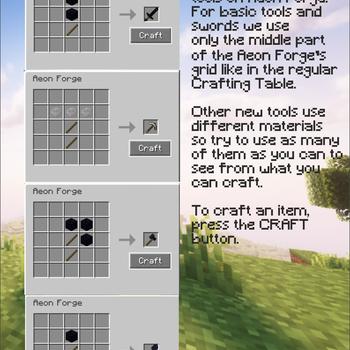
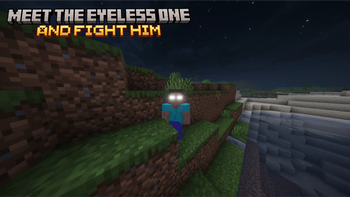

Diary of an 8-Bit Warrior, coming to Minecraft
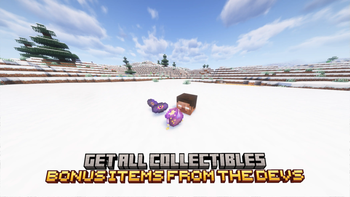
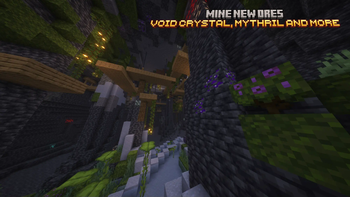
Ever dreamed of playing in Aetheria next to Runt, Breeze, and their friends? It's now possible! Will you be a hero like Kolb or a minion of the evil, serving Herobrine?
That's up to you in this RPG-like mod, a recreation of the universe from the popular book series Diary of an 8-Bit Warrior by Cube Kid.

Join us on Discord!
Check our other links!
Aetheria, playable.
 In Team Minus, we're are all fans of the book series, and wanted, like you, to play in this universe like Kolb or Ione used to. With this idea in mind, we decided to make this experience a reality and share it with other players so their dreams can come true!
We base ourselves as much as possible on the original books written by Cube Kid, and plan to include all the content we can see in the Aetherian universe in this mod.
The features are developed on our free time, so it might take time to update, please forgive us! If you want to keep in touch with us, join our Discord!
Lost?
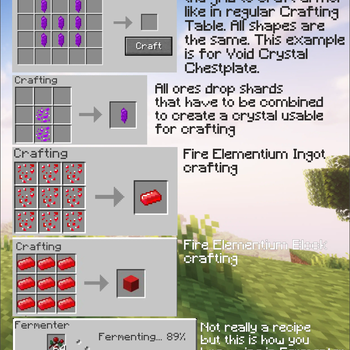
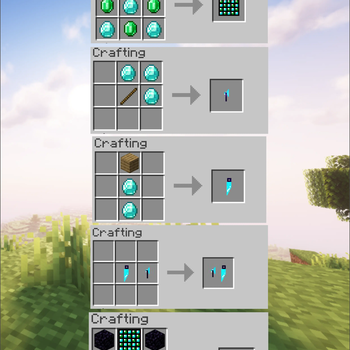
Don't worry, it might not be easy to really know what to do at first. Our mod adds new gear (tools, weapons, armors, more?) that you can try to get to defeat the evil, Herobrine, in an peic boss fight!
Of course, quests will guide you in your long jounrey to become the savior of Aetheria. (feature not implemented yet)
All content will be available on our wiki and is availble to read on the Curseforge page.
Installation Troubleshooting
For the best experience, follow this installation tutorial.
- Download and install the Modrinth App.
- Create a new instance in version Neoforge 1.21.1 Stable (if you don't see an option for Stable, keep it that way) (Neoforge 21.1.209)
- Open the "Install content" menu.
- In the "Mods" section, search for "Diary of an 8-Bit Warrior" an click "Install"
- Go back to the instance. Curios API and Geckolib should have automatically been installed as well. If not, go back to manually install them
- Optionally, for better performance, we recommend using Sodium and Lithium.
It is not recommended to play using Optifine, as it is known to break other mods. We provide no official support for players using deprecated versions of the mod (Latest: 2.2, MC 1.21.1, NF 21.1.209)
Licensing
© 2025 Team Minus - All Rights Reserved, unless otherwise specified.
This project is an independent creation based on Cube Kid's book series Diary of an 8-Bit Warrior and its spinoffs and is not affiliated with or endorsed by Cube Kid, Minecraft, Mojang Studios, or Microsoft. All rights to the original works remain with their respective owners.
Poverty and famine - © Adam Sporka - Kingdom Come Deliverance Original soundtrack
"Wario" - © Nintendo - "Wario" is a trademark owned by Nintendo
Alagard font - © Hewett Tsoi
- Edition: Minecraft Java
- File type: .jar
- Minecraft version listed: 1.21.1
- How to install: Install the matching mod loader (Forge, Fabric or NeoForge) for your Minecraft version. → Download the .jar. → Put it in the .minecraft/mods folder and launch that loader profile.
- Where to get it: Opens on Modrinth — not every file is mirrored on our own servers.
Install steps are the general flow for this file type — How to install Minecraft Java mods & modpacks walks through it step by step.
- Ships as diary_of_an_eight_bit_warrior-2.2.1.-dev-3-neoforge-1.21.1.jar — drop this file into the mods folder
- Download size: 80.7 MB
- Download link checked 11 Oct 2026 — working
These come from our own check of the pack file, not from the source page.