
ModsJava
Grow Your Crystal
Java mod listed for Minecraft 1.21. Downloads from the MC Java Mods app on Android.
⬇ Download on Modrinth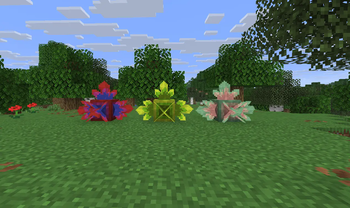
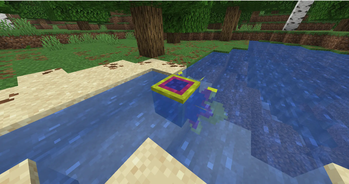
 Grow your own crystals with customizable colors and properties!
Grow your own crystals with customizable colors, where each crystal can have up to 3 differently colored layers, add custom properties to the crystal, such as making it glow or even turning your crystals into candies!
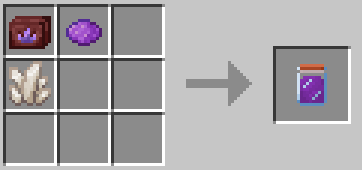
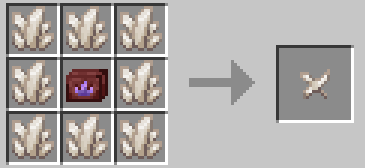
- Use the crystal growing toolkit to make a crystal seed (can be traded from piglins or stolen from their bastions (if you're bold enough))
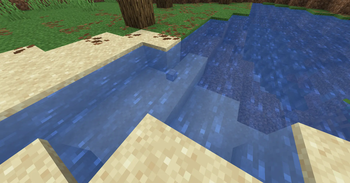
- Grow the crystal seed by placing it into water and feeding it with crystalline solution
- The solution can be crafted using the toolkit, a crystal base (quartz, amethyst or diamond), one or two dyes and a powdery substance (optional)
- Each powdery substance adds its own unique effects to the crystal, find out what each of them does!
- The solution takes some time to dissolve and form the crystal, so take your time, and don't forget to hydrate the crystal when needed!
- WARNING: THE CRYSTAL CANNOT BE MOVED AFTER PLACING WITHOUT IT BEING BROKEN
- The crystal clusters formed on it, however, can be safely moved, as well as crafted into a full block

Quick facts
- Edition: Minecraft Java
- File type: .jar
- Minecraft version listed: 1.21.8
- How to install: Install the matching mod loader (Forge, Fabric or NeoForge) for your Minecraft version. → Download the .jar. → Put it in the .minecraft/mods folder and launch that loader profile.
- Where to get it: Opens on Modrinth — not every file is mirrored on our own servers.
Install steps are the general flow for this file type — How to install Minecraft Java mods & modpacks walks through it step by step.
File checked by MCModsHub
- Ships as grow-your-crystal-1.0.4+fabric-1.21.8.jar — drop this file into the mods folder
- Download size: 455 KB
- Download link checked 11 Oct 2026 — working
These come from our own check of the pack file, not from the source page.