
Zoomburg
The better Zoom mod, with a customizable zoom using a GUI! Controls are CHANGEABLE through Minecraft\Options\Keybinds!
⬇ Download on Modrinth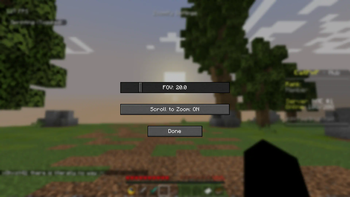
🔭 Zoomburg – Zoom Like a Pro, Anytime, Anywhere! "Why squint when you can Zoomburg?"
Tired of missing out on the details? Want to zoom in without clunky spyglasses or switching to OptiFine? Zoomburg is your new favorite zoom mod — lightweight, stylish, and fully customizable.
🚀 Features That Just Zoom Ahead:
🎯 One-Key Zooming – Just press C (or your custom key) to instantly zoom in on the action.
🔁 Scroll-to-Zoom Support – Use your scroll wheel to smoothly adjust zoom levels on the fly.
🖥️ Clean Settings GUI –
→ Adjust your zoom FOV in real-time
→ Enable or disable scroll-to-zoom with a simple checkbox
→ No config files needed – just plug and play!
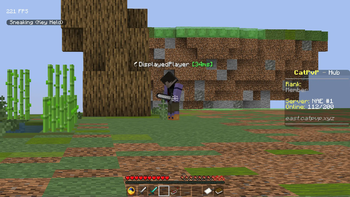
🧊 Minimal & Fast – Doesn’t slow down your game or mess with visuals. Perfect for PvP, building, exploring, or cinematics.
🔧 Built with Fabric Loom – Fast updates, easy compatibility, and a stable experience.
🎮 Why Choose Zoomburg?
Because you deserve better than static spyglasses. Zoomburg is made for modern Minecraft — responsive, smooth, and flexible. Whether you’re a hardcore PvPer, a master builder, or just want a better view of that creeper in the distance... Zoomburg zooms when you need it most.
- Edition: Minecraft Java
- File type: .jar
- Minecraft version listed: 1.21.7
- How to install: Install the matching mod loader (Forge, Fabric or NeoForge) for your Minecraft version. → Download the .jar. → Put it in the .minecraft/mods folder and launch that loader profile.
- Where to get it: Opens on Modrinth — not every file is mirrored on our own servers.
Install steps are the general flow for this file type — How to install Minecraft Java mods & modpacks walks through it step by step.
- Ships as zoomifiy-121-1.0.0.jar — drop this file into the mods folder
- Download size: 164 KB
- Download link checked 31 Aug 2026 — working
These come from our own check of the pack file, not from the source page.