
ModsJava
Easy NBT Editor
I don't know my version or loader
Open the Minecraft launcher and look at the profile you play on — it names both, like fabric-loader-1.21.4. The version also shows in the bottom-right corner of the game's main menu.
No loader in the profile name? Then it's plain Minecraft, and these mods won't run — you need Fabric or NeoForge installed first.
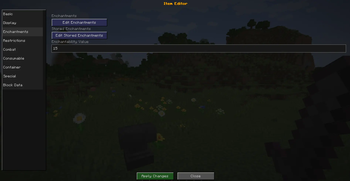
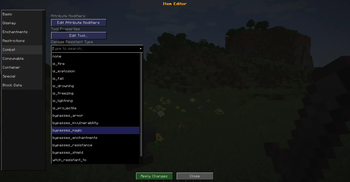
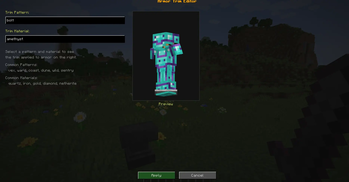
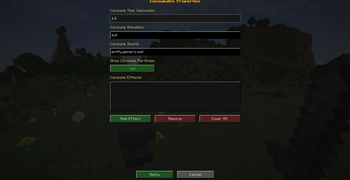
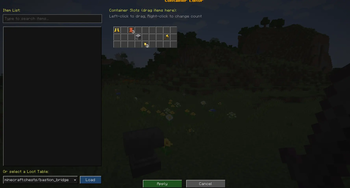


✨ Features
Tested on 1.21.4 other versions compatibility unknown use at your own risk.
Your GUI-based Minecraft NBT Item Editor includes a comprehensive set of editable tags, organized for clarity:
🔢 Numeric & Text Fields
max_stack_sizemax_damagedamagecustom_nameitem_namecustom_model_datarepair_costominous_bottle_amplifieritem_modeltooltip_styleenchantabledamage_resistantlock
☑️ Toggleable Options (Checkboxes)
unbreakablehide_tooltiphide_additional_tooltipcreative_slot_lockenchantment_glint_overrideintangible_projectilerepairablegliderdeath_protection
🔽 Dropdown Fields
rarityequippable
🧩 Sub-Editors for Complex Tags
enchantmentsstored_enchantmentsattribute_modifiersdyed_colorfoodpotion_contentsuse_remaindertrimconsumablejukebox_playabletoolsuspicious_stew_effectsinstrumentnote_block_soundbase_coloruse_cooldownlodestone_trackerpot_decorationsbanner_patternsbees
📝 Text Area Fields
lorecan_place_oncan_break
This feature set makes the editor extremely powerful, covering everything from basic item properties to advanced NBT structures—all through a clean and intuitive UI.
Quick facts
- Edition: Minecraft Java
- File type: .jar
- Minecraft versions listed: 1.21.5, 1.21.6, 1.21.7
- How to install: Install the matching mod loader (Forge, Fabric or NeoForge) for your Minecraft version. → Download the .jar. → Put it in the .minecraft/mods folder and launch that loader profile.
- Where to get it: Opens on Modrinth — not every file is mirrored on our own servers.
Install steps are the general flow for this file type — How to install Minecraft Java mods & modpacks walks through it step by step.
Verified by MCModsHub
- Ships as easynbteditor-1.3.jar — drop this file into the mods folder
- Download size: 295 KB
- Download link checked 31 Aug 2026 — working
These come from our own check of the pack file, not from the source page.