
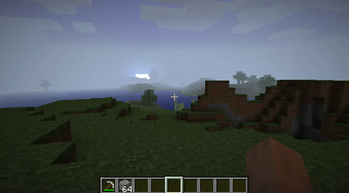
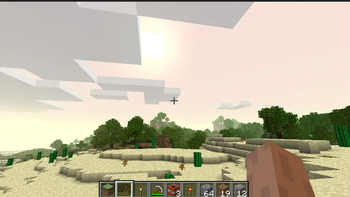
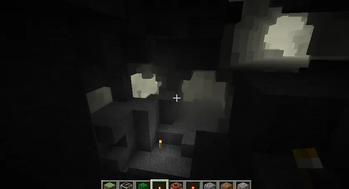
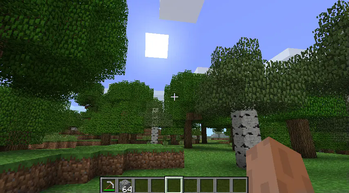
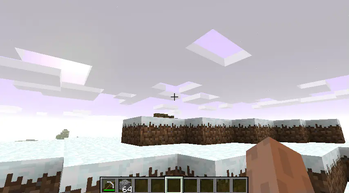
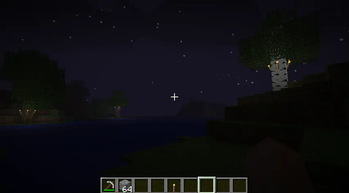
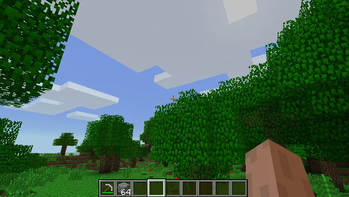
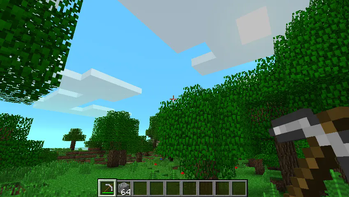
AmbientOverride StationAPI for Minecraft Beta 1.7.3
Mod is clientside and all changes are configurable with GlassConfigAPI.
Features:
- Different Fog Approach Types
- Exponential growth fog approach or older linear fog approach behavior
- Biome Fog Colors
- Each biome has a unique fog color that varies in intensity day by day
- Cave Fog Colors
- Desaturates biome fog colors and darkens fog at lower Y levels
- Cave Fog Density
- Fog increases in density as the player nears Y level 28, the fog level can vary day by day and move up or down slightly
- Morning Fog Density
- Beginning at midnight there is a chance for morning fog to start and last anywhere from 100 seconds to 400 seconds dissipating shortly after daybreak
- Light Level (Darkness) Fog Density
- Fog density increases slightly when the light level is low
- Void Fog
- Increases fog density and darkens fog significantly near bedrock Y levels
Each of these feature's max intensity can be toggled and values will vary day by day with values changing at midnight
- The base fog density can also be changed, all changes are made through GlassConfigAPI 3
Installation using Prism Launcher
- Download an instance of Babric for Prism Launcher: https://github.com/babric/prism-instance
- Install Java 17, set the instance to use it, and disable compatibility checks on the instance: https://adoptium.net/temurin/releases/
- Add StationAPI to the mod folder for the instance: https://modrinth.com/mod/stationapi
- (Optional) Add Mod Menu to the mod folder for the instance: https://modrinth.com/mod/modmenu-beta
- (Optional) Add GlassConfigAPI 3.0+ to the mod folder for the instance: https://modrinth.com/mod/glass-config-api
- Add this mod to the mod folder for the instance: https://github.com/telvarost/AmbientOverride-StationAPI/releases
- Run and enjoy! 👍
Feedback
Got any suggestions on what should be added next? Feel free to share it by creating an issue. Know how to code and want to do it yourself? Then look below on how to get started.
Contributing
Thanks for considering contributing! To get started fork this repository, make your changes, and create a PR.
If you are new to StationAPI consider watching the following videos on Babric/StationAPI Minecraft modding: https://www.youtube.com/watch?v=9-sVGjnGJ5s&list=PLa2JWzyvH63wGcj5-i0P12VkJG7PDyo9T
- Edition: Minecraft Java
- File type: .jar
- Minecraft version listed: b1.7.3
- How to install: Install the matching mod loader (Forge, Fabric or NeoForge) for your Minecraft version. → Download the .jar. → Put it in the .minecraft/mods folder and launch that loader profile.
- Where to get it: Opens on Modrinth — not every file is mirrored on our own servers.
Install steps are the general flow for this file type — How to install Minecraft Java mods & modpacks walks through it step by step.
- Ships as AmbientOverride-1.2.1.jar — drop this file into the mods folder
- Download size: 461 KB
- Download link checked 31 Aug 2026 — working
These come from our own check of the pack file, not from the source page.