
Riftname
WARNING! Upgrading the mod to 0.9.0 and later can cause you to lose your nicknames and tags!
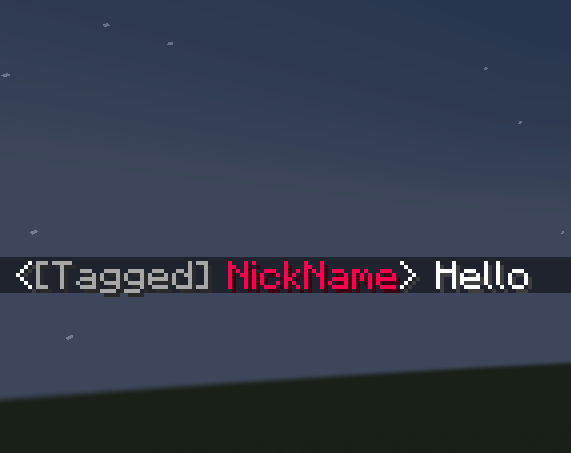
A mod for styling your name on multiplayer servers. Supports prefixes, nicknames, name colors, gradients in names and prefixes and custom text components that are sanitized to prevent players adding click events. Works in chat, join/leave/death messages, nameplates, and the Playerlist/Tablist
Gradients use the RGBirdflop &#rrggbb format.
A partial rewrite of Rift Realms Utility for 1.21.1 and onward
Features
Older versions of the mod use different commands. They are not documented here and you're recommended to upgrade to version 0.9.0 or later.
Name style - /namestyle
- Colors are set with
/namestyle color- They are specified with hexadecimal color codes: eg.
#ffffff - Certain colors can also be referred to by names
- They are specified with hexadecimal color codes: eg.
- Formattings are added with
/namestyle formatting- They are used to add bold, italic, obfuscated or other effects
- They can also set certain colors
- Name styles are cleared with
/namestyle clear
Tags / Prefixes - /playertag
- A tag can be removed with
/playertag clear /playertag togglestyleoverridetoggles the style override value- When set to
falsethe tag is forced to use its own style, whentrueit can use the name style
- When set to
- Tags can be set in three ways
/playertag set simple <Tag>: Sets a string value, which by default uses the main name style/playertag set text<Text Component>: Uses a version dependent text component/playertag set gradient <Gradient Text>: Uses text with color and style codes embedded, supporting easy gradients
Nick Names - /nick
Nick Names use the same subcommands and formats as Tags - eg. /nick set gradient <Gradient Text>, /nick togglestyleoverride
- Edition: Minecraft Java
- File type: .jar
- Minecraft version listed: 1.21.11
- How to install: Install the matching mod loader (Forge, Fabric or NeoForge) for your Minecraft version. → Download the .jar. → Put it in the .minecraft/mods folder and launch that loader profile.
- Where to get it: Opens on Modrinth — not every file is mirrored on our own servers.
Install steps are the general flow for this file type — How to install Minecraft Java mods & modpacks walks through it step by step.
- Ships as riftname-0.9.1+1.21.11.jar — drop this file into the mods folder
- Download size: 124 KB
- Download link checked 31 Aug 2026 — working
These come from our own check of the pack file, not from the source page.