oraclium
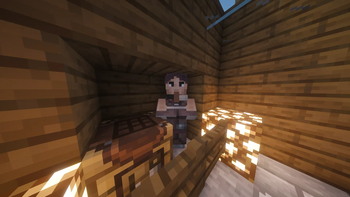
Discover Oraclium our minecraft mod which adds new ores, ingots, armor and tools and new items and an improved crafting table which allows you to create…
⬇ Download on Modrinth


🔮 Oraclium — The Vanilla+ Extension That Enhances Minecraft
⭐ Thank you to everyone who supports the project!
🔔 To discover more content and follow the CobbleStudio universe, visit cobblestudio.
🧱 Overview
Oraclium is a vanilla-like mod designed to enrich Minecraft without altering its core identity. The goal: to offer a deeper, more varied, and more immersive experience, while remaining true to the style and balance of the original game. No futuristic machines, no overpowered abilities — Oraclium integrates seamlessly into a survival game, as if Mojang had released a major update focused on exploration, materials, and progression. If you'd like to share ideas, concepts, or feedback, join the community on Discord.
💎 Key Features
- New Ores — Azurite, Auralite, Ruby, Malachite, and more
- Unique Armor & Tools — Each material has its own distinct identity
- New Biomes — Brand-new environments in the Overworld and the End
- Generated Structures — Ruins, shrines, and mysterious areas to explore
- Improved Explosives — More powerful and fun TNT variants
- Underground Additions — New blocks to diversify caves
- New Enchantments — More progression options
- Compatibility: JEI / Jade — Perfect for modpacks and new players
And this is just a glimpse: Oraclium continues to expand with each update.
🌍 Why Choose Oraclium?
Minecraft can become repetitive once everything has been explored. Oraclium breathes new life into the game by adding:
- variety,
- progression,
- discovery,
- and a richer atmosphere, all while remaining perfectly consistent with the game's universe. The mod integrates seamlessly into modpacks, thanks to its balanced approach and natural compatibility.
- Edition: Minecraft Java
- File type: .jar
- Minecraft version listed: 1.21.11
- How to install: Install the matching mod loader (Forge, Fabric or NeoForge) for your Minecraft version. → Download the .jar. → Put it in the .minecraft/mods folder and launch that loader profile.
- Where to get it: Opens on Modrinth — not every file is mirrored on our own servers.
Install steps are the general flow for this file type — How to install Minecraft Java mods & modpacks walks through it step by step.
- Ships as oraclium-3.2.0.jar — drop this file into the mods folder
- Download size: 655 KB
- Download link checked 31 Aug 2026 — working
These come from our own check of the pack file, not from the source page.