
Pvp Helper (faresmod)
Java mod listed for Minecraft 1.21. Downloads from the MC Java Mods app on Android.
I don't know my version or loader
How to use:
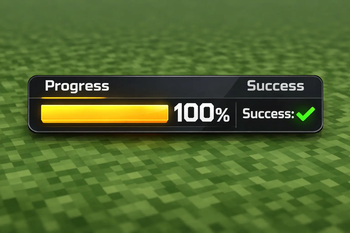
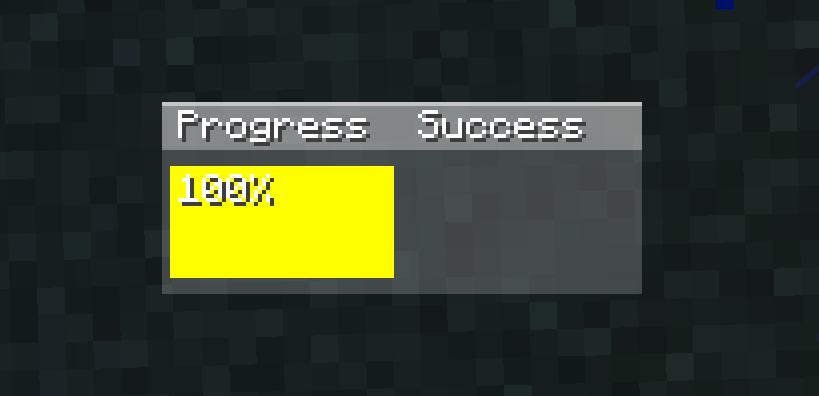
The progress section first checks if the item in your hand has reached critical hit count. If it has, it will show yellow; if not, it will show a gray bar indicating the countdown. If the progress section is yellow and you are about to hit a monster or player, the bar will turn green. The success section shows the last monster you hit: gray if you hit it before critical hit count, yellow if you hit it with critical hit count and without jumping, and green if you hit it with critical hit count and while jumping. Additional features: Pressing the 'k' key (you can change which letter it is in settings-->controls->key assignments) can open and close the GUI. Also, when your mouse cursor is visible (like in chat, esc), you can drag and drop the GUI to change its position. I hope you like it <3 --im doing a new mod i will announce the mod on my discord server after that i will release on modrinth-- 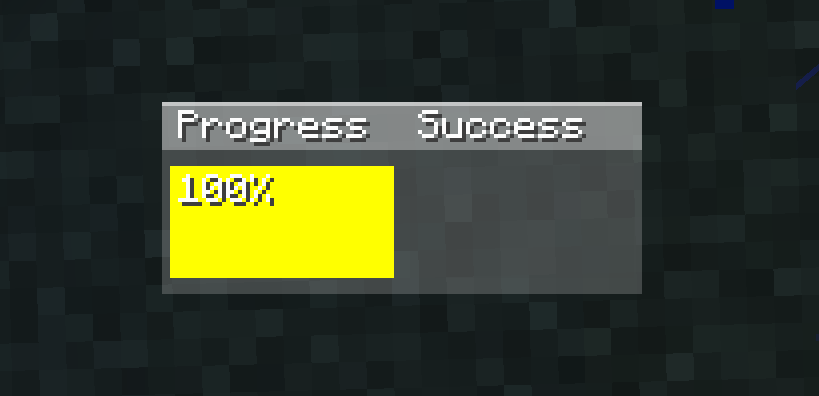
- Edition: Minecraft Java
- File type: .jar
- Minecraft versions listed: 1.21.9, 1.21.10, 1.21.11
- How to install: Install the matching mod loader (Forge, Fabric or NeoForge) for your Minecraft version. → Download the .jar. → Put it in the .minecraft/mods folder and launch that loader profile.
- Where to get it: Opens on Modrinth — not every file is mirrored on our own servers.
Install steps are the general flow for this file type — How to install Minecraft Java mods & modpacks walks through it step by step.
- Ships as faresmod-2.3.0.jar — drop this file into the mods folder
- Download size: 16 KB
- Download link checked 11 Oct 2026 — working
These come from our own check of the pack file, not from the source page.