
ModsJava
Velocity Command
Java mod listed for Minecraft 26.x. Downloads from the MC Java Mods app on Android.
I don't know my version or loader
Open the Minecraft launcher and look at the profile you play on — it names both, like fabric-loader-1.21.4. The version also shows in the bottom-right corner of the game's main menu.
No loader in the profile name? Then it's plain Minecraft, and these mods won't run — you need Fabric or NeoForge installed first.
Velocity Command
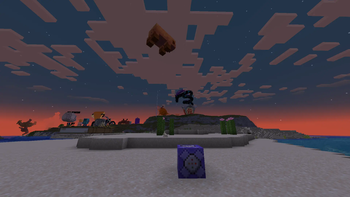
Adds a server-side command to set the velocity of any entity including players.
Usage
/velocity <entity> <velocity> [rotationContext]
e.g. /velocity @s ~ 3 ~
Arguments
entity: Entity selector, like vanilla teleport commandvelocity: Relative xyz velocity values, also like teleportrotationContext: When using directional (^) coordinates, determines the source of direction: "entity" for the entity's facing direction and "command" for the command context's source (for/execute facing), defaults to "entity"
Quick facts
- Edition: Minecraft Java
- File type: .jar
- Minecraft versions listed: 26.1, 26.1.1, 26.1.2
- How to install: Install the matching mod loader (Forge, Fabric or NeoForge) for your Minecraft version. → Download the .jar. → Put it in the .minecraft/mods folder and launch that loader profile.
- Where to get it: Opens on Modrinth — not every file is mirrored on our own servers.
Install steps are the general flow for this file type — How to install Minecraft Java mods & modpacks walks through it step by step.
File checked by MCModsHub
- Ships as velocity-command-1.0.3.jar — drop this file into the mods folder
- Download size: 17 KB
- Download link checked 11 Oct 2026 — working
These come from our own check of the pack file, not from the source page.