
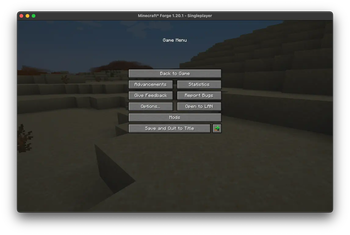

Checkpoints is a powerful tool for Minecraft players who want complete control over their worlds. With this mod, you can create, manage, and restore checkpoints seamlessly, ensuring your progress is always safe. Perfect for adventurers, builders, or anyone who values peace of mind while exploring Minecraft’s endless possibilities.
Features
Checkpoint Management:
- Create checkpoints for your world at any time.
- Automatically organize and store checkpoints within your world directory.
Automatic Checkpoint Restoration:
- After a player respawns, the mod can automatically restore the latest checkpoint, making survival gameplay more forgiving.
User-Friendly Interface:
- Browse checkpoints through an in-game menu with previews, dates, and mod compatibility indicators.
- Restore your world with just a few clicks or commands.
Safe Operations:
- Prevents conflicts by locking the world during checkpoint operations to ensure data consistency.
Why Use Checkpoints?
Whether you’re testing redstone contraptions, exploring dangerous biomes, or building massive structures, this mod lets you experiment freely, knowing you can always return to a previous state. It’s your safety net in Minecraft’s vast world of unpredictability.
- Edition: Minecraft Java
- File type: .jar
- Minecraft version listed: 1.21
- How to install: Install the matching mod loader (Forge, Fabric or NeoForge) for your Minecraft version. → Download the .jar. → Put it in the .minecraft/mods folder and launch that loader profile.
- Where to get it: Opens on Modrinth — not every file is mirrored on our own servers.
Install steps are the general flow for this file type — How to install Minecraft Java mods & modpacks walks through it step by step.
- Ships as checkpoints-1.0.4-1.21.jar — drop this file into the mods folder
- Download size: 39 KB
- Download link checked 31 Aug 2026 — working
These come from our own check of the pack file, not from the source page.