
Roman Minimap
Java mod listed for Minecraft 1.21. Downloads from the MC Java Mods app on Android.
A high-performance minimap with smooth rotation, true block colors, and advanced terrain mapping. Includes full waypoint and player teleport management…
⬇ Download on Modrinth


A precision-crafted minimap built for clarity, performance, and style. Roman Minimap delivers a real-time, smoothly rotating view of your world with true block colors, advanced terrain sampling above and below ground, customizable zoom levels, and complete waypoint and player management—including teleportation, shading modes, brightness and saturation controls, and fully editable keybindings for total control.

Includes the following:
- XYZ Coordinates – Always know your exact position.
- World Time – Displays the current real-world day and night cycle.
- Game Time – Track elapsed in-game time with precision.
- Zoom Controls – Adjustable zoom levels for your preferred viewing distance.
- Compass Rose Overlay – Navigate effortlessly with clear directional indicators.
- Player Icons – View other players around you, pinned to the minimap’s edge.
- Waypoint Icons – Visual markers for important locations, pinned to the map’s outer circle.

Overview Map
Overview map via the "N" keybinding (can be changed in options) to show a larger square map of the surrounding area.

Customizable Keybindings
Roman Minimap gives you complete control with editable keybindings, all accessible through the Options → Controls → Keybindings menu.
- K: Sets a Waypoint
- M: Rotates minimap Player up / North Up
- N: Toggle Overview Map on/off
- I: Tottle other players on/off
- J: Toggle waypoints on/off
- H: Dialog popup waypoint manager
- P: Dialog popup player manager
- Z: Zoom control for minimap
- Zoom Levels 1.0, 1.5, 2.0, 3.0
- Slope shading/Flat shading
- Teleport confirm/cooldown/sendrequest
- Brighness of maps
- Saturation of maps
All settings for keybindings are also configurable in the options/controls/keybindings screen.

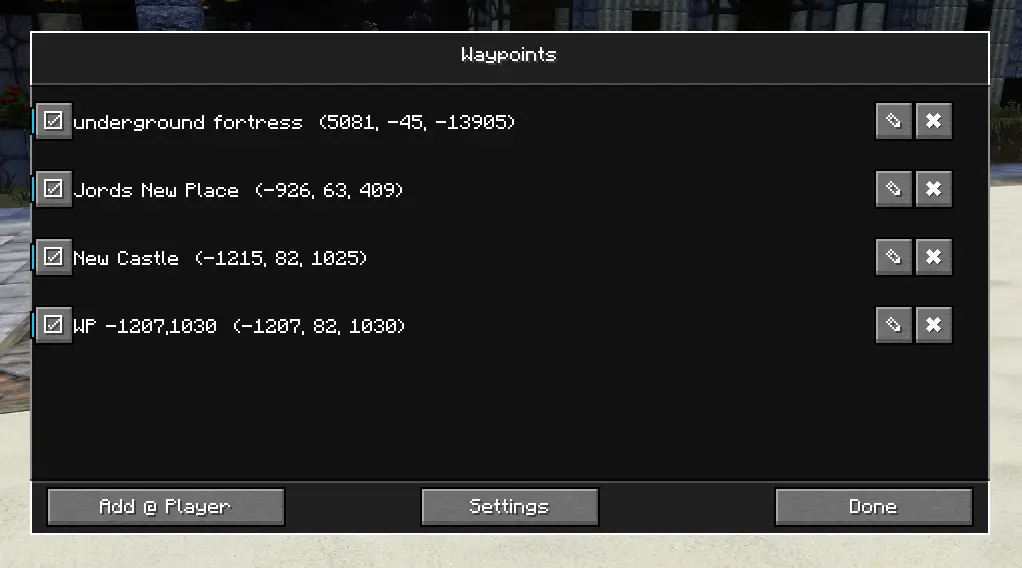
Waypoint Manager:
An intuitive dialog that lists all your saved waypoints.
Rename waypoints for better recognition, and double-click any entry to teleport directly to that location. Includes a quick-access Settings button for further customization in the keybindings or settings screen.
Player Teleport Manager
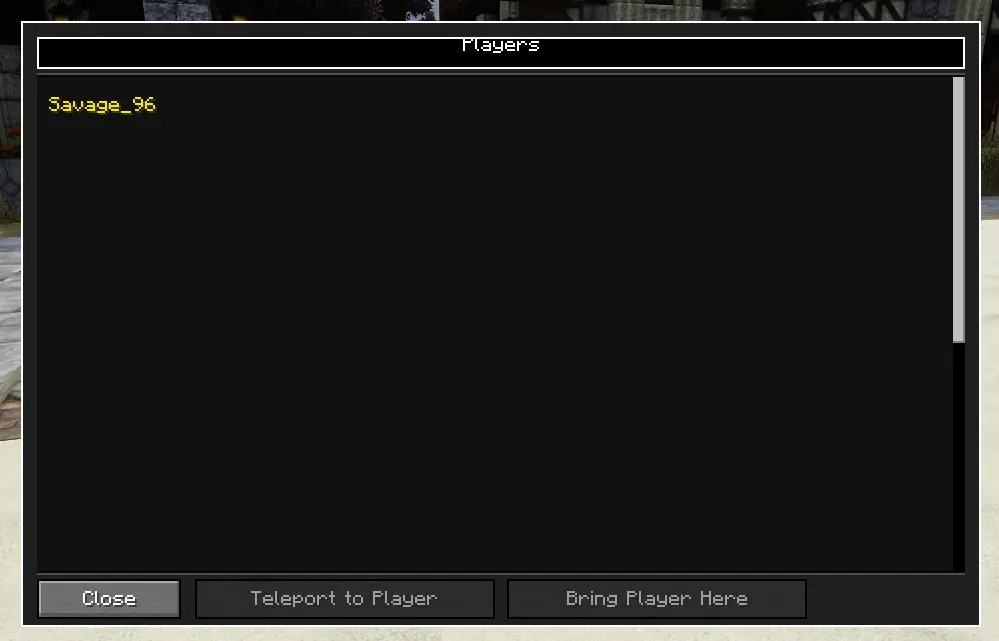
A streamlined interface for managing player teleportation.
View a list of all online players, then choose to teleport them to you or teleport to their location. Supports both /tp and /tpa commands, depending on your server configuration.
(Note: Functionality may vary by server permissions.)
- Edition: Minecraft Java
- File type: .jar
- Minecraft version listed: 1.21.1
- How to install: Install the matching mod loader (Forge, Fabric or NeoForge) for your Minecraft version. → Download the .jar. → Put it in the .minecraft/mods folder and launch that loader profile.
- Where to get it: Opens on Modrinth — not every file is mirrored on our own servers.
Install steps are the general flow for this file type — How to install Minecraft Java mods & modpacks walks through it step by step.
- Ships as minimap-roman-mod-1.0.4+build.310.jar — drop this file into the mods folder
- Download size: 166 KB
- Download link checked 11 Oct 2026 — working
These come from our own check of the pack file, not from the source page.