
CustomLag
Fabric mod to simulate lag for servers and single player worlds by delaying packets from sending and receiving
I don't know my version or loader
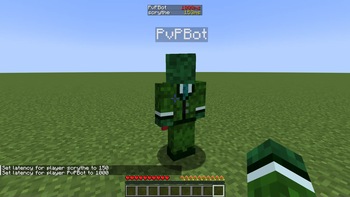
About the Mod
This Mod simulates lag by delaying the processes of receiving and sending packets. This is done by injecting a ContextHandler inside the ChannelPipeline of a minecraft connection. This mod works only for servers and single player worlds.
Usage
To set or change the latency/ping for a player, just use the lag command:
/lag set <playername> <latency>
Setting lag will be saved to a toml file, so even after restart, the settings will remain. You can also set the lag of offline players (who have not currently joined yet.)
In order to remove the lag of a player, you can use:
/lag remove <playername>
(this removes the ContextHandler that delays packets from sending)
Some additional commands are:
There are also some addional quality of live -ish commands, like increase the keep alive / ping packets interval, to find more, just enter
/customlag
- Edition: Minecraft Java
- File type: .jar
- Minecraft versions listed: 1.21.6, 1.21.7, 1.21.8
- How to install: Install the matching mod loader (Forge, Fabric or NeoForge) for your Minecraft version. → Download the .jar. → Put it in the .minecraft/mods folder and launch that loader profile.
- Where to get it: Opens on Modrinth — not every file is mirrored on our own servers.
Install steps are the general flow for this file type — How to install Minecraft Java mods & modpacks walks through it step by step.
- Ships as customlag-1.1.1+1.21.6-1.21.8.jar — drop this file into the mods folder
- Download size: 824 KB
- Download link checked 31 Aug 2026 — working
These come from our own check of the pack file, not from the source page.