
TalkingClouds
I don't know my version or loader
TalkingClouds
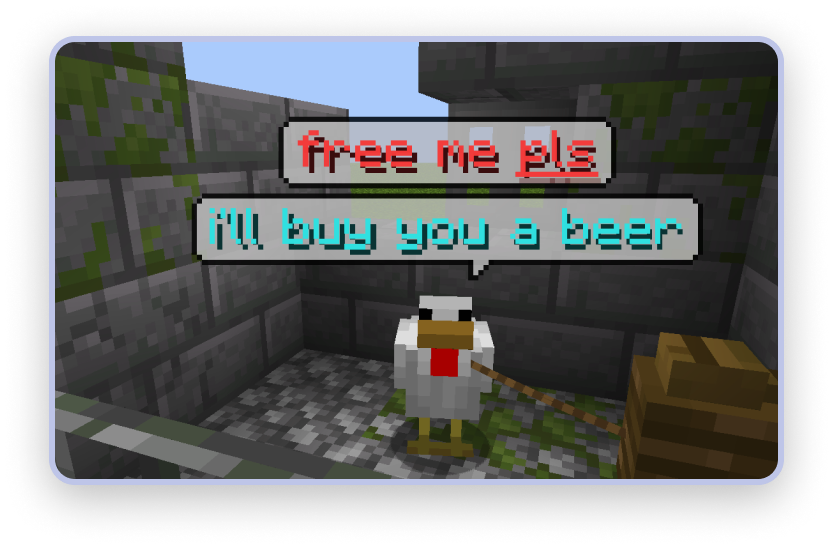
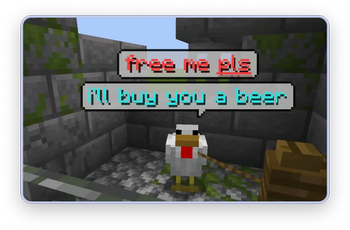
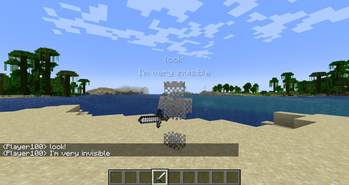
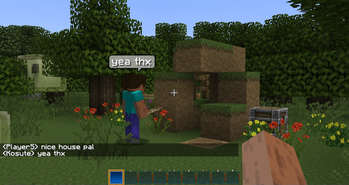
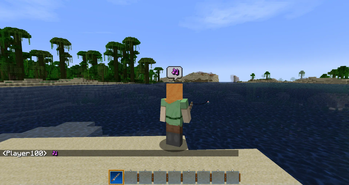
This mod adds pretty speech bubbles for players and for any other entities.
Requires Fabric API, Cloth Config API and Fabric Permissions API.
The mod works well as a client-side only mod and shows speech bubbles over nearby players when they chatting.
However, if you also install this mod as server-side, it will be able to show speech bubbles over any entities in the game. This can be useful for RPG servers, role-playing servers and potentially any other servers with social orientation, quests and so on.
Server side features
Use /talkcloud command to add speech bubble to any entitty. It's syntax supports both text with color codes (e.g. &n) and text jsons. Newline character \n also supports.
Command sytax:
/talkcloud <entity uuid, target selector or player name> <text with color codes or text json>
Examples:
/talkcloud e98a-blah-blah &cHello, \nI am an &bEntity!
/talkcloud Player123 {"Text":"This JSON text works well <oo!", "color":"yellow"}
/talkcloud @r ["Text with siblings is also supported",{"Text":"Each one will start with a new line"}]
Command requires op level 1 or talkingclouds.command.talkcloud permission.
Configuration
You can adjust the visibility range of bubbles, the maximum number of bubbles above the entity, the width of the bubbles, and so on. More parameters coming soon.
At the moment, the entire configuration of the mod is completely client-side, but later it will be possible to set individual styles for each speech bubble which any player can see.
Compatibility
Mod works only with Fabric on 1.18.2 and 1.19.2 version for now. Support for latest versions of Minecraft may appear in future.
- Edition: Minecraft Java
- File type: .jar
- Minecraft versions listed: 1.20.1, 1.20.2, 1.20.3
- How to install: Install the matching mod loader (Forge, Fabric or NeoForge) for your Minecraft version. → Download the .jar. → Put it in the .minecraft/mods folder and launch that loader profile.
- Where to get it: Opens on Modrinth — not every file is mirrored on our own servers.
Install steps are the general flow for this file type — How to install Minecraft Java mods & modpacks walks through it step by step.
- Ships as talkingclouds-1.1.2.jar — drop this file into the mods folder
- Download size: 66 KB
- Download link checked 21 Sept 2026 — working
These come from our own check of the pack file, not from the source page.