
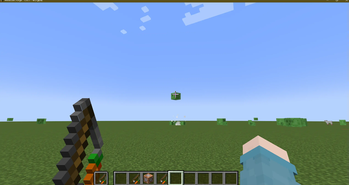
HourClock24:
HourClock24 is a mod designed to synchronize Minecraft's day-night cycle with the real world. By accurately simulating Earth's rotation, it offers a more realistic gaming experience. Whether it's the longest day of the summer solstice or the shortest day of the winter solstice, HourClock24 automatically adjusts the game's day and night durations to match the player's local conditions.
What can it do?
- Automatically adjusts in-game sunrise and sunset times based on the real-world date.
- Supports a 24-hour mode, which players can enable or disable with the commands /hourclock true and /hourclock false.
- Allows players to customize sunrise time with the command /hourclock dawntime .
- Inspired by a sudden brainstorm.
Quick facts
- Edition: Minecraft Java
- File type: .jar
- Minecraft versions listed: 1.20.1, 1.20.2, 1.20.3
- How to install: Install the matching mod loader (Forge, Fabric or NeoForge) for your Minecraft version. → Download the .jar. → Put it in the .minecraft/mods folder and launch that loader profile.
- Where to get it: Opens on Modrinth — not every file is mirrored on our own servers.
Install steps are the general flow for this file type — How to install Minecraft Java mods & modpacks walks through it step by step.
Verified by MCModsHub
- Ships as hourclock24-1.20.1-1.6.jar — drop this file into the mods folder
- Download size: 44 KB
- Download link checked 31 Aug 2026 — working
These come from our own check of the pack file, not from the source page.