



Pushdozer - Terrain Editing Tool

✨ Overview
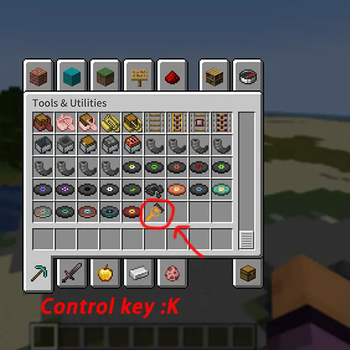
Pushdozer is a powerful terrain editing mod designed specifically for Minecraft builders and creators. It makes terrain editing as simple and efficient as operating a bulldozer, providing intuitive multi-mode terrain operations, rich brush geometries, flexible elevation systems, and server-authoritative multiplayer synchronization with undo/redo functionality. Whether you're leveling mountains, digging tunnels, batch planting, or creating natural shorelines, Pushdozer makes all these tasks effortless.
🎯 Key Features
🛠️ Eight Working Modes
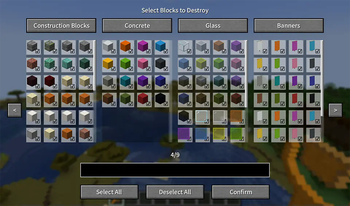
- Excavate Mode - Quickly clear large areas with support for layered excavation and block filtering
- Place Mode - Intelligently place surface blocks with adaptive biome support
- Smooth Mode - Intelligent terrain smoothing for handling steep edges and rough surfaces
- Surface Roughen - Add natural textures and roughness effects to terrain
- Surface Convert - Convert surface blocks to other types with multi-block mixing support
- Bone Meal - Use bone meal to promote plant growth
- Batch Plant - Intelligently plant trees, flowers, and grass with biome-adaptive support
- Shoreline Process - Create natural shorelines with support for beaches, embankments, and more
🎨 Eight Brush Geometries
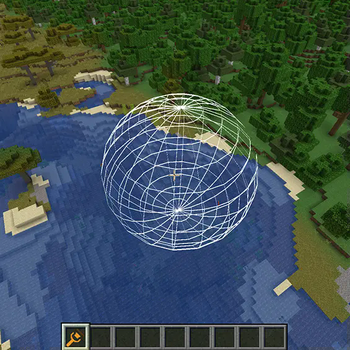
- Sphere\Box\Octahedron\Cylinder\Cone\Ellipsoid\Tetrahedron\Triangular Prism
📐 Four Elevation Systems
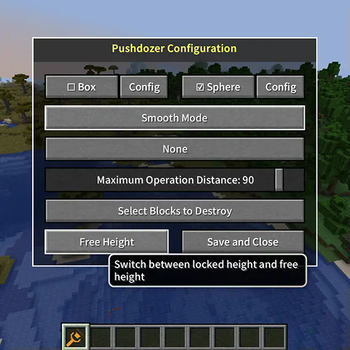
- No Limit - Edit at any height freely, suitable for complex terrain
- Follow Player - Operation elevation follows player position
- Locked Once - Precise height control, perfect for leveling terrain
- Custom - Manually set specific heights
🖥️ Three Display Modes
- Wireframe - Display brush outlines with best performance
- Point Cloud - Show point cloud preview for intuitive visualization
- Hidden - No preview display, focus on operations
🔄 Undo/Redo System
- Support for 30-step operation history
- Real-time operation record saving
- Cooldown mechanism to prevent frequent undo/redo
⚙️ Installation:
Make sure you have:
- Installed Fabric Mod Loader (version >= 0.16.9)
- Downloaded and installed Fabric API
- Download the latest version of Pushdozer from the releases page
- Place the downloaded JAR file in your
.minecraft/modsfolder - Launch Minecraft and enjoy Pushdozer!
Quick facts
- Edition: Minecraft Java
- File type: .jar
- Minecraft version listed: 1.21.8
- How to install: Install the matching mod loader (Forge, Fabric or NeoForge) for your Minecraft version. → Download the .jar. → Put it in the .minecraft/mods folder and launch that loader profile.
- Where to get it: Opens on Modrinth — not every file is mirrored on our own servers.
Install steps are the general flow for this file type — How to install Minecraft Java mods & modpacks walks through it step by step.
Verified by MCModsHub
- Ships as pushdozer-1.21.8-1.1.1.jar — drop this file into the mods folder
- Download size: 577 KB
- Download link checked 31 Aug 2026 — working
These come from our own check of the pack file, not from the source page.