
ModsJava
HologramLib

[](https://discord.gg/2utkyj26b4)
# **FEATURES**
* **Text, Block & Item Holograms**
* **Text animations**
* **Minimessage support**
* **Packet based**
* **Per player holograms**
* **Leaderboard generators**
* **Advanced hologram customization**
* **Attachment and parenting support**
* **Flexible rendering modes**
disclaimer
This api only works on 1.19.4+
The holograms do not work for Bedrock players
There can be some issues when using spigot on older versions (Preferably use Paper or a fork of it)
Its just a Java API. This plugin does not work standalone.
# **SETUP**
* **Download the plugin .jar**
* **Download [Packet Events](https://www.spigotmc.org/resources/packetevents-api.80279/)**
* **Upload the .jar files onto your server (*yourserver/plugins* folder)**
* **Add the plugin as a dependency to your plugin and use it**
# **PROJECT SETUP**
[View documentation on GitHub](https://github.com/max1mde/hologramapi?tab=readme-ov-file#installation)
**
steps
**Gradle**
```
repositories {
maven { url 'https://jitpack.io' }
}
dependencies {
compileOnly 'com.github.max1mde:HologramLib:1.6.3'
}
```
**Maven**
```
jitpack.io
https://jitpack.io
com.github.max1mde
HologramLib
1.6.3
provided
```
You need to add this line to your plugin.yml:
```yaml
depend:
- HologramLib
```
# **CODE EXAMPLES**
**Getting the instance**
```java
private HologramManager hologramManager;
@Override
public void onLoad() {
HologramLib.onLoad(this); /*Only needed if you shade HologramLib*/
}
@Override
public void onEnable() {
hologramManager = HologramLib.getManager().orElse(null);
if (hologramManager == null) {
getLogger().severe("Failed to initialize HologramAPI manager.");
return;
}
}
```
**Block Hologram**
```java
TextHologram hologram = new TextHologram("unique_id")
.setMiniMessageText("Hello world!")
.setSeeThroughBlocks(false)
.setBillboard(Display.Billboard.VERTICAL)
.setShadow(true)
.setScale(1.5F, 1.5F, 1.5F)
.setTextOpacity((byte) 200)
.setBackgroundColor(Color.fromARGB(60, 255, 236, 222).asARGB())
.setAlignment(TextDisplay.TextAlignment.CENTER)
.setViewRange(1.0)
.setMaxLineWidth(200);
```
**Item Hologram**
```java
ItemHologram hologram= new ItemHologram("unique_id")
.setItem(new ItemStack.Builder()
.type(ItemTypes.DIAMOND_SWORD)
.build())
.setGlowing(true)
.setGlowColor(Color.ORANGE)
.setOnFire(false)
.setDisplayType(ItemDisplayMeta.DisplayType.FIXED)
.setBillboard(Display.Billboard.VERTICAL)
.setScale(2.0F, 2.0F, 0.01F)
.setViewRange(1.0);
```
**Spawing a hologram**
```java
hologramManager.spawn(hologram, );
hologramManager.remove(hologram);
```
**Leaderboard creation**
```java
Map leaderboardData = new LinkedHashMap<>() {{
put(1, "MaximDe:1000");
put(2, "dream:950");
put(3, "BastiGHG:500");
put(4, "Wichtiger:400");
// ... more entries
}};
LeaderboardHologram leaderboard = hologramManager.generateLeaderboard(
location,
leaderboardData,
LeaderboardHologram.LeaderboardOptions.builder()
.title("Top Players - Kills")
.showEmptyPlaces(true)
.scale(1.2f)
.maxDisplayEntries(10)
.suffix("kills")
.topPlayerHead(true)
.build()
);
/*
Update the leaderboard later if needed
*/
hologramManager.updateLeaderboard(
leaderboard,
updatedData,
/*
ou can also use different options here
which will be applied to the leaderboard
*/
leaderboard.getOptions()
);
```
You can find more information [in the GitHub readme](https://github.com/max1mde/hologramlib)

# **SUPPORT**
## ***Problems with the api?***
**Before you write a bad review ask for support on the [discord server](https://discord.gg/pvmmvmkqyd) or open an [issue on github](https://github.com/max1mde/hologramlib/issues)**
**[.png?raw=true)](https://discord.gg/4pa7vueqs4)**
**[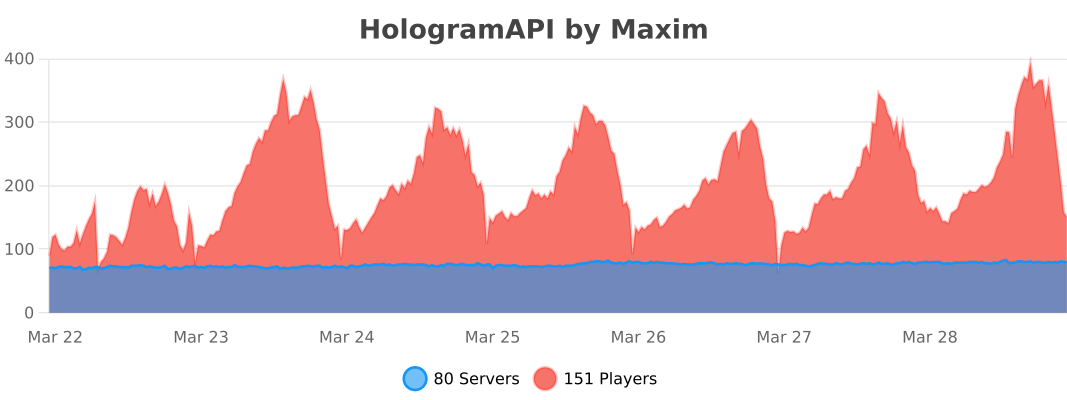](https://bstats.org/plugin/bukkit/hologramapi/19375)**
Do not use the review section below for suggestions/feature requests or support.
Quick facts
- Edition: Minecraft Java
- File type: .jar
- Minecraft versions listed: 1.19.4, 1.20, 1.20.1
- How to install: Install the matching mod loader (Forge, Fabric or NeoForge) for your Minecraft version. → Download the .jar. → Put it in the .minecraft/mods folder and launch that loader profile.
- Where to get it: Opens on Hangar — not every file is mirrored on our own servers.
Install steps are the general flow for this file type — How to install Minecraft Java mods & modpacks walks through it step by step.
HologramLib is a free Minecraft Java mod. Compatible with Minecraft 1.19.4, 1.20, 1.20.1, 1.20.2 and newer. Downloaded 315 times (via Hangar). Download it and open it directly in the game.