
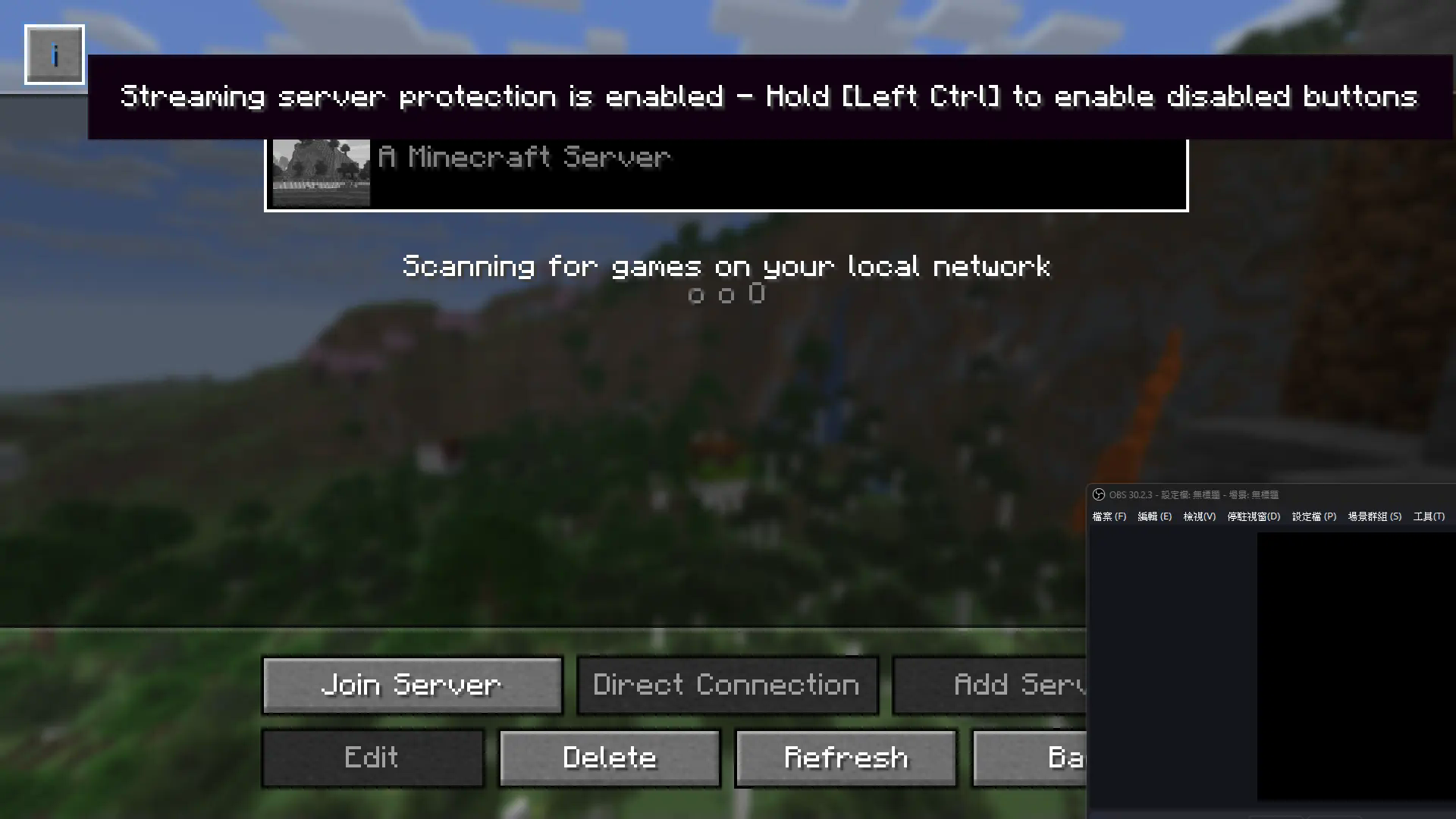
While streaming, you may sometimes misclick and reveal your private server's IP address to the audience. With this mod, when streaming software is detected, the "Edit", "Add Server", and "Direct Connection" buttons in the multiplayer menu will be disabled to prevent misclicks.
反正這是一個可以在實況時可以防止按錯讓觀眾看到私人伺服器IP地址的模組。(ノ>ω<)ノ
This mod currently have English and 繁體中文
Currently supported streaming software:
- OBS (Tested on Windows 11 & MacOS 15)
- Xsplit
- Streamlabs
- Bandicam
- PRISMLiveStudio
Quick facts
- Edition: Minecraft Java
- File type: .jar
- Minecraft version listed: 1.21.11
- How to install: Install the matching mod loader (Forge, Fabric or NeoForge) for your Minecraft version. → Download the .jar. → Put it in the .minecraft/mods folder and launch that loader profile.
- Where to get it: Opens on Modrinth — not every file is mirrored on our own servers.
Install steps are the general flow for this file type — How to install Minecraft Java mods & modpacks walks through it step by step.
Verified by MCModsHub
- Ships as no_server_leak_on_stream-mc1.21.11-1.1.2+mc1.21.11.jar — drop this file into the mods folder
- Download size: 76 KB
- Download link checked 31 Aug 2026 — working
These come from our own check of the pack file, not from the source page.