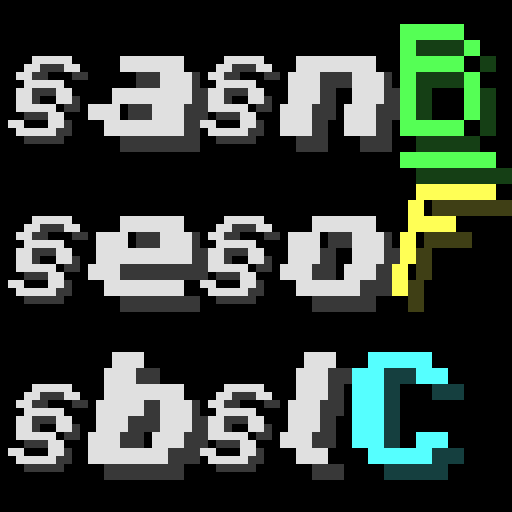
Better Formatting Code
Java mod listed for Minecraft 1.12. Downloads from the MC Java Mods app on Android.
⬇ Download on ModrinthThis mod has two features about text formatting code!

Feature 1. Typing '§' and Decorating
You can input section sign '§' in GUI and decorate chat, sign, item name, mob name, world name, etc.
See the wiki of Formatting Codes.
Formatting Range is a Stack of formatting code.
At the start of range, current formatting codes are saved, and at the end of Formatting Range, restore the saved formatting codes.
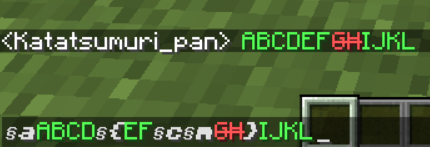
Formatting Range is nestable and can escape '}' by increasing '{'s and '}'s. (The number of '{' is not limited.)

Feature 2. Adding New Formatting Codes
For modders, this is a library mod that allows you to add new formatting codes.
API documents and wiki pages are currently under construction.
2
Notes:
- This is a both(client and server)-side mod.
- Feel free to use this mod in any modpacks.
Mod Compatibilities:
Preparing now...
- Optifine
- Smooth Font
- Better Line Break
Mod Incompatibilities:
- Any other mods that modify FontRenderer.class
- Edition: Minecraft Java
- File type: .jar
- Minecraft version listed: 1.12.2
- How to install: Install the matching mod loader (Forge, Fabric or NeoForge) for your Minecraft version. → Download the .jar. → Put it in the .minecraft/mods folder and launch that loader profile.
- Where to get it: Opens on Modrinth — not every file is mirrored on our own servers.
Install steps are the general flow for this file type — How to install Minecraft Java mods & modpacks walks through it step by step.
- Ships as BetterFormattingCode-1.12.2-3.0.0.jar — drop this file into the mods folder
- Download size: 422 KB
- Download link checked 11 Oct 2026 — working
These come from our own check of the pack file, not from the source page.