Summary
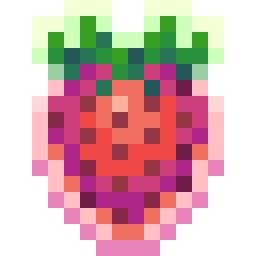
This mod adds collectible strawberries into Minecraft! Map makers can place these strawberries all around the map, and players later can search for them and collect them. Strawberries each have a name and a description, as well as a clue that can be revealed through the Journal. Originally intended for use at Modfest: Singularity, though it is NOT a submission for the contest.
Journal
The Journal can be accessed by any player at any time by pressing the keybind, which is J by default. The Journal lists out all berries, and lets people know which ones they've collected and which they haven't. It has options to sort the berries by name, by which ones you've collected, by how many people have collected them, and also by group - map makers can designate berries with groups. When a player collects all the berries in a group, they get a different collection sound and a number goes up in their journal. Exciting!
Virtual Berries
Map makers also have the option of creating "virtual" berries through the use of the /berry command. These berries appear the same in the journal as any other, but are managed through commands instead of by touching the berry in the world.
Basic Usage
Get the Strawberry item from the Miscellaneous tab in the creative menu. You can place it wherever, including inside blocks if you so wish. Berries are placed aligned to a double grid, meaning you can place them in the centers of blocks or on the corners/edges of blocks. This ensures you can place them symmetrically even when your room is an even number of blocks in size!
Once the berry is placed, you can right click it with a strawberry item to edit it. Here you can change the Name, Group, Clue, and Description of the berry.
To destroy the berry, you have to hit it with a sword. This was to make it more difficult to accidentally destroy berries, thereby removing the progress of people who had collected it.
Berries can only be placed, edited, and broken by players in creative mode, to ensure that your map's players aren't able to mess with them.
Command Usage
/berry reset- Accessible to all players. Prompts you with a warning, and when you enter the command again, it resets all of your collected berries, for that sweet sweet replayability./berry reset players <@selector>- Resets the berries of all players selected./berry create <key>- Creates a new virtual berry with the given key. This key is used by other commands to reference this berry./berry delete <key>- Deletes the virtual berry with the given key./berry list- Lists the keys of all virtual berries./berry grant <@selector> <key>- Grants the virtual berry with the given key to the players selected./berry give <@selector> <key>- Gives these players an edible berry item. When the item is eaten, the player that ate it earns the virtual berry associated with the key./berry update <key> name <text>- Sets the name of the virtual berry with the given key./berry update <key> clue <text>- Sets the clue of the virtual berry with the given key./berry update <key> desc <text>- Sets the description of the virtual berry with the given key./berry update <key> placer <text>- Sets the placer of the virtual berry with the given key./berry update <key> group <text>- Sets the group of the virtual berry with the given key.
Credits
Thank you to:
- Aikoyori for creating the icon and item art, as well as the sound effects when picking up berries
- Falkreon for the book background art of the journal
- Sisby for fixing some typos and improving the reset confirmation system
- Edition: Minecraft Java
- File type: .jar
- Minecraft version listed: 1.19.2
- How to install: Install the matching mod loader (Forge, Fabric or NeoForge) for your Minecraft version. → Download the .jar. → Put it in the .minecraft/mods folder and launch that loader profile.
- Where to get it: Opens on Modrinth — not every file is mirrored on our own servers.
Install steps are the general flow for this file type — How to install Minecraft Java mods & modpacks walks through it step by step.
- Ships as limits_strawberries-1.1.2-1.19.2.jar — drop this file into the mods folder
- Download size: 176 KB
- Download link checked 31 Aug 2026 — working
These come from our own check of the pack file, not from the source page.