
MultiHUD
MultiHUD is a modular Minecraft Fabric client with customizable HUD modules, utility features, modern UI, and a lightweight, performance-focused design.
⬇ Download on Modrinth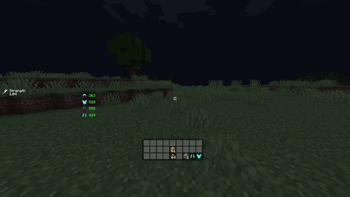
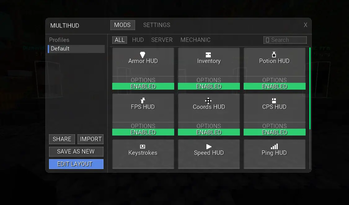
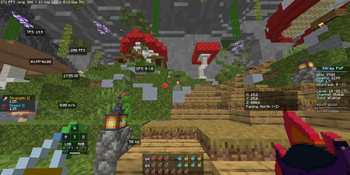
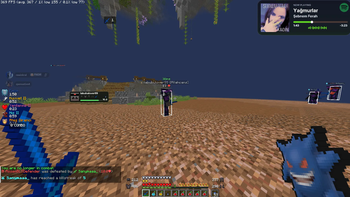
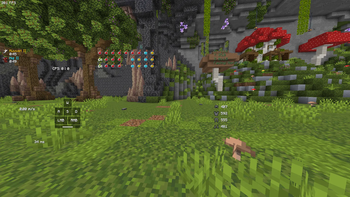
MultiHUD
MultiHUD is a modern, modular, and evolving client experience built for Minecraft Fabric.
Originally created as a customizable HUD mod, MultiHUD is growing beyond its roots into a complete standalone client experience focused on customization, performance, and player control.
Instead of relying on a separate custom client, MultiHUD aims to bring the features, interface, and flexibility expected from modern Minecraft clients directly into the Fabric ecosystem.
Features
- 10+ customizable HUD modules
- Fully draggable and scalable interface
- Independent customization for every element
- Modern and unified user interface
- Modular feature architecture
- Custom keybind system
- Persistent configuration saving
- Lightweight and performance-focused design
- Native Fabric integration
- Continuously expanding feature set
More Than a HUD Mod
MultiHUD started as a collection of customizable HUD modules, but its scope is expanding.
The project is evolving into a broader client platform where HUD elements, utility features, visual customization, configuration systems, and future client-side modules work together through a unified experience.
The goal is not simply to recreate an existing client. MultiHUD is being developed as its own independent project with a distinct identity, architecture, and direction.
Customization
Every HUD module can be positioned, scaled, and configured independently, allowing players to build an interface that matches their own playstyle.
Whether you prefer a clean and minimal setup or a detailed information-rich layout, MultiHUD gives you control over how your client experience looks and behaves.
As the project continues to evolve, customization will expand beyond the HUD itself.
Performance
MultiHUD is built specifically for Fabric with performance and modularity in mind.
Features are designed to remain lightweight and responsive, allowing the project to grow without becoming unnecessarily bloated. The modular architecture also provides a foundation for future systems and client features while keeping the experience efficient.
Supported Versions
- Minecraft 1.26.x — Actively supported
- Minecraft 1.21.x — No longer actively supported
- Minecraft 1.20.x — No longer actively supported
- Fabric Loader
Note: Development now focuses exclusively on the latest Minecraft version. Older versions will not receive further updates or bug fixes.
The Future of MultiHUD
MultiHUD is no longer limited to being just a HUD modification.
The project is evolving toward a complete, standalone Fabric-based client experience built around modularity, customization, performance, and freedom of choice.
No client lock-in. No unnecessary restrictions. Just an expanding platform designed to give players more control over their Minecraft experience.
- Edition: Minecraft Java
- File type: .jar
- Minecraft version listed: 1.21.1
- How to install: Install the matching mod loader (Forge, Fabric or NeoForge) for your Minecraft version. → Download the .jar. → Put it in the .minecraft/mods folder and launch that loader profile.
- Where to get it: Opens on Modrinth — not every file is mirrored on our own servers.
Install steps are the general flow for this file type — How to install Minecraft Java mods & modpacks walks through it step by step.
- Ships as multihud-1.21.1-2.6.5.jar — drop this file into the mods folder
- Download size: 3.8 MB
- Download link checked 31 Aug 2026 — working
These come from our own check of the pack file, not from the source page.