
ModsJava
Cube's Crosshairs
I don't know my version or loader
Open the Minecraft launcher and look at the profile you play on — it names both, like fabric-loader-1.21.4. The version also shows in the bottom-right corner of the game's main menu.
No loader in the profile name? Then it's plain Minecraft, and these mods won't run — you need Fabric or NeoForge installed first.
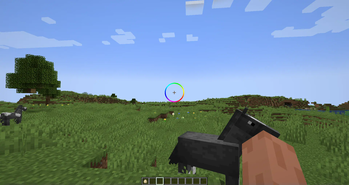
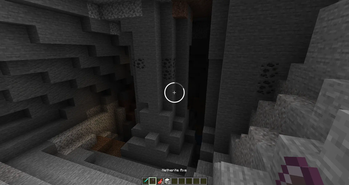
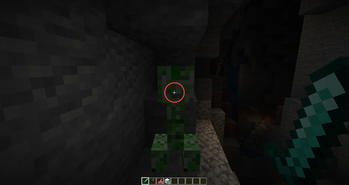
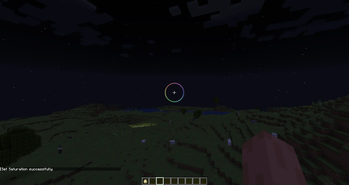
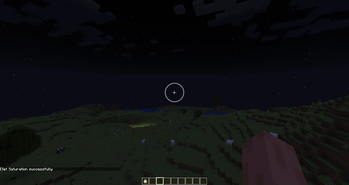
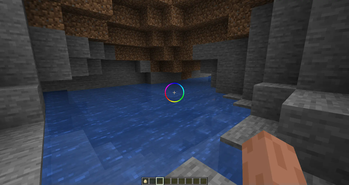
Cube's Crosshairs
Customizable Crosshair Mod for Minecraft
supports 1.20-1.20.6 and 1.21
Current Features
- Crosshair has customizable options via command line (see Options section below)
- Crosshair indicated attack cooldown
- Crosshair changes to a red color when targeting an entity
Planned Features
- Crosshair indicates block breaking progress
- More customizable options
- Configuration will save
Options
| Name | Command | Description |
|---|---|---|
| Velocity Modifier | cube:set_vel_mod | How quick the crosshair recenters. Higher = Faster |
| Delta Scale | cube:set_delta_scale | How much the crosshair moves. Negative means it follows, Positive means it leads, Zero = No movement |
| Spin Speed | cube:set_spin_speed | Spin speed of crosshair |
| Cooldown Offset | cube:set_cooldown_offset | Where the cooldown bar starts. 0 = Left, 0.5 = Top, etc |
| Radius | cube:set_radius | Crosshair radius relative to screen size. Default is .05 |
| Thickness | cube:set_thickness | Crosshair thickness relative to screen size. Default is 0.005 |
| Hue | cube:set_hue | Crosshair hue. |
| Saturation | cube:set_saturation | Crosshair saturation. 0.0 = White |
| Brightness | cube:set_brightness | Crosshair brightness. 0.0 = Black |
| Alpha | cube:set_alpha | Crosshair alpha value. 0.0 = Transparent, 1.0 = Opaque |
| Feather | cube:set_feather | How much to blend the edge of the crosshair. Default is 0.001 |
| Disabled Alpha | cube:set_disabled_alpha | Alpha value for disabled portion of crosshair (only visible with progress bar) |
Quick facts
- Edition: Minecraft Java
- File type: .jar
- Minecraft versions listed: 1.20, 1.20.1, 1.20.2
- How to install: Install the matching mod loader (Forge, Fabric or NeoForge) for your Minecraft version. → Download the .jar. → Put it in the .minecraft/mods folder and launch that loader profile.
- Where to get it: Opens on Modrinth — not every file is mirrored on our own servers.
Install steps are the general flow for this file type — How to install Minecraft Java mods & modpacks walks through it step by step.
Verified by MCModsHub
- Ships as cubes-crosshair-0.0.3+1.20-1.20.6.jar — drop this file into the mods folder
- Download size: 27 KB
- Download link checked 31 Aug 2026 — working
These come from our own check of the pack file, not from the source page.