Command Actions
Java mod listed for Minecraft 1.19. Downloads from the MC Java Mods app on Android.
⬇ Download on ModrinthCommand Actions provides an interface to automatically run .mcfunction files at particular events. They are loaded from the filesystem on every event call, ensuring that they are as up to date as they can be.
How to run functions?
- Open / create the
.minecraft/config/command-actions/functionsfolder - Add function files or folders containing function files with the proper event names
- Functions are detected either without an extension or with the
.mcfunctionextension. - All files in subdirectories are detected regardless of extension (or lack thereof)
- Subdirectories are recursed to find functions
- Functions are detected either without an extension or with the
Current capabilities
Some preprocessing occurs on the input. All preprocessing directives are preceded with a hash (#),
and any line preceded with a hash that is not a preprocessor is marked as a comment.
Preprocessing directives:
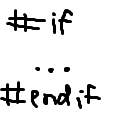
if,elif,else,endif- check if a given macro evaluates totrueor1, if a number is nonzero, if an equation results in a nonzero answer, or if two values are equal or unequaldefine- define a replacement to be replaced later. Not recursiveundef- remove the definition of an already defined macro. This also works for system-provided macros.
Current events
Built-in macros are listed, and all builtins (including those provided by other mods) are preceded with C_
server-ready- called after the server reports it's ready for playersserverNameisSinglePlayeronlinemotd
player-join- called when a player is placed into the server- All macros provided by
server-ready playerNameandplayeras shorthandplayerUUIDauthfirstJoin
- All macros provided by
- Edition: Minecraft Java
- File type: .jar
- Minecraft version listed: 1.19.2
- How to install: Install the matching mod loader (Forge, Fabric or NeoForge) for your Minecraft version. → Download the .jar. → Put it in the .minecraft/mods folder and launch that loader profile.
- Where to get it: Opens on Modrinth — not every file is mirrored on our own servers.
Install steps are the general flow for this file type — How to install Minecraft Java mods & modpacks walks through it step by step.
- Ships as command-actions-1.1.0.jar — drop this file into the mods folder
- Download size: 6.2 MB
- Download link checked 1 Nov 2026 — working
These come from our own check of the pack file, not from the source page.