
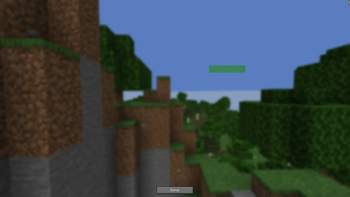
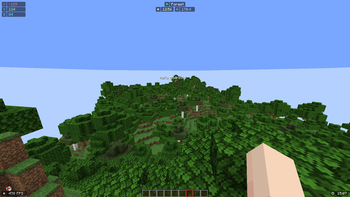
Move Action Bar lets you drag and reposition your action bar anywhere on your screen – no more being stuck with the default location.
🎮 Features:
Move the action bar freely using a built-in config screen.
Open the config with Mod Menu or by pressing the K key (configurable) in-game.
Config is saved automatically.
Works in singleplayer and multiplayer.
Made to be lightweight.
🛠️ How to Use:
Press K (default keybind) or open the config from Mod Menu.
Drag the action bar box to where you want it.
Click Done – the new position will now be used in-game.
💡 Why?
Useful for accessibility, custom HUD layouts, or just personal preference. Works great on servers.
- Edition: Minecraft Java
- File type: .jar
- Minecraft versions listed: 1.21, 1.21.1, 1.21.2
- How to install: Install the matching mod loader (Forge, Fabric or NeoForge) for your Minecraft version. → Download the .jar. → Put it in the .minecraft/mods folder and launch that loader profile.
- Where to get it: Opens on Modrinth — not every file is mirrored on our own servers.
Install steps are the general flow for this file type — How to install Minecraft Java mods & modpacks walks through it step by step.
- Ships as move-action-bar-1.0.0.jar — drop this file into the mods folder
- Download size: 114 KB
- Download link checked 31 Aug 2026 — working
These come from our own check of the pack file, not from the source page.