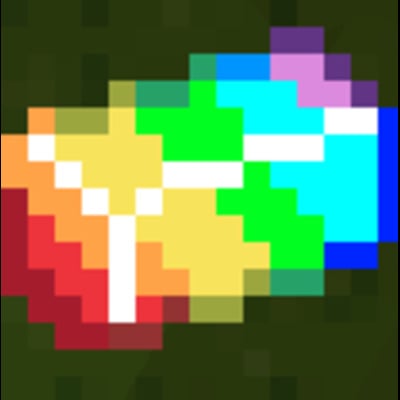
A little splash of colour
Java mod listed for Minecraft 1.12. Downloads from the MC Java Mods app on Android.
This mod adds many wonderful features to the game such as custom weapons, gear and even lucky locks, there are also some more Easter eggs such as a secret…
⬇ Download on Modrinth




You need to download Forge 1.12.2 To get this mod here is the link: https://files.minecraftforge.net/net/minecraftforge/forge/index_1.12.2.html
Then you can download my mod
One you downloaded my mod you need to go to the search bar on the bottom left of your screen and type %appdata% then open .minecraft then open mods then you put my mods folder in it
Open Minecraft launcher and change your installation to Forge 1.12.2 and enjoy
Here is my website for seeing what my mods do izapsmcmods.000webhostapp.com/
Colour splash biome : It is A 1/1024 (0.01%) chance of finding it. It is made of command blocks, emerald ore, obsidian, diamond ore, colour splash ore
Magic armour: Each piece of armour is very strong and gives you a infinate potion effect for each piece of armour
Lava gun: shoot It and you will see massive dripping arches of lava
Lightning hammer: It is the colur splash sword but when you right click you summon lightning
Colour splash sword: A sword that does the most damage in the game
Colour splash ingot: The result if you smelt a colour splash ore
Colour splash ore: A rare ore near bedrock which can be crafted into very cool items
Grenade: when you throw it it gives a boom
Cluster Grenade: when you throw it. It splits into 10 grenades which all explode
Build Potion: throw it and it spawns a 5 by 5 by 5 cube of TNT
Structure block: when you place it down it spawns a neat survival home
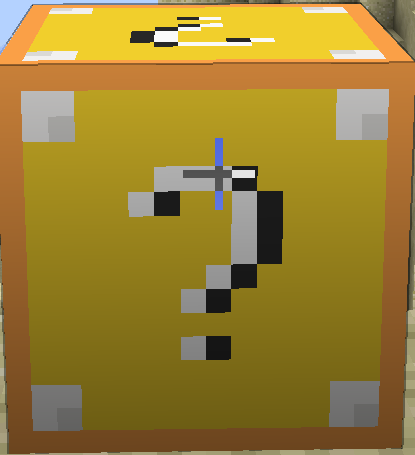
Lucky block: It is the OG lucky block but it can give you some of the items above
Cursed pig: It is a new mob that spawns in Plains, Birch forest, Beach It is very fast.
Cow launcher: It is raining cows when you right click it, that means free food.
- Edition: Minecraft Java
- File type: .jar
- Minecraft version listed: 1.12.2
- How to install: Install the matching mod loader (Forge, Fabric or NeoForge) for your Minecraft version. → Download the .jar. → Put it in the .minecraft/mods folder and launch that loader profile.
- Where to get it: Opens on Modrinth — not every file is mirrored on our own servers.
Install steps are the general flow for this file type — How to install Minecraft Java mods & modpacks walks through it step by step.
- Ships as modid-1-0-e2280.jar — drop this file into the mods folder
- Download size: 200 KB
- Download link checked 11 Oct 2026 — working
These come from our own check of the pack file, not from the source page.