
Wolf's Stopwatch
A simple mod that adds an on-screen stopwatch into Minecraft!
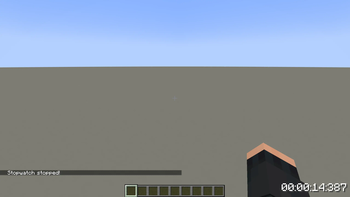
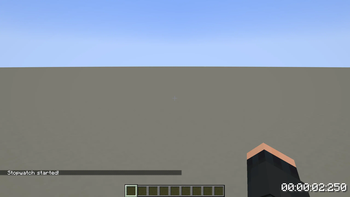
To start or stop the stopwatch, use the [Start/Stop] keybind, which can be configured in the controls menu. By default, this will be set to [R].
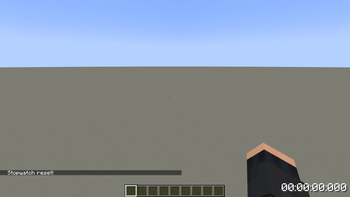
To reset the stopwatch, use the [Reset] keybind, which can be configured in the controls menu. By default, this will be set to [G].
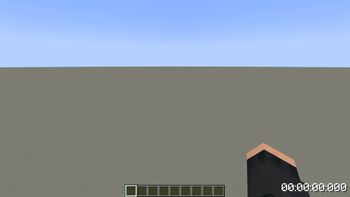
Pressing [Reset] with no time on the stopwatch will toggle the overlay, disabling it. If it is already disabled, the [Reset] key will enable it once more.
Screenshot of the stopwatch in-game!
Notes:
- The stopwatch position is currently hard-coded, but will be configurable in a later update.
- Activating the stopwatch while the overlay is disabled will cause it to start immediately as soon as the overlay is reenabled.
- The stopwatch is only present in-world, and is not accessible or usable through menus.
- The stopwatch will not pause when the game is paused.
- Stopwatch values are not saved on leaving a world.
Possible uses for the stopwatch include:
- Speedrunning.
- Hide and seek.
- Farm efficiency tracking.
- And more!
- Edition: Minecraft Java
- File type: .jar
- Minecraft version listed: 1.21.4
- How to install: Install the matching mod loader (Forge, Fabric or NeoForge) for your Minecraft version. → Download the .jar. → Put it in the .minecraft/mods folder and launch that loader profile.
- Where to get it: Opens on Modrinth — not every file is mirrored on our own servers.
Install steps are the general flow for this file type — How to install Minecraft Java mods & modpacks walks through it step by step.
- Ships as stopwatch-1.0.3.jar — drop this file into the mods folder
- Download size: 13 KB
- Download link checked 31 Aug 2026 — working
These come from our own check of the pack file, not from the source page.