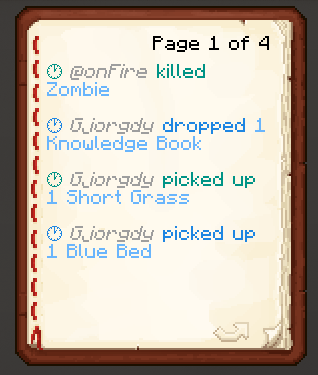
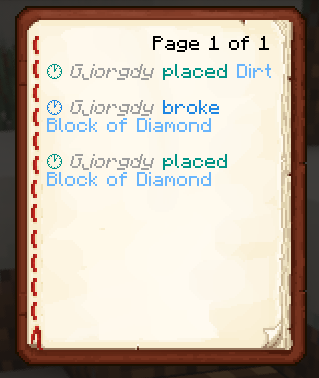
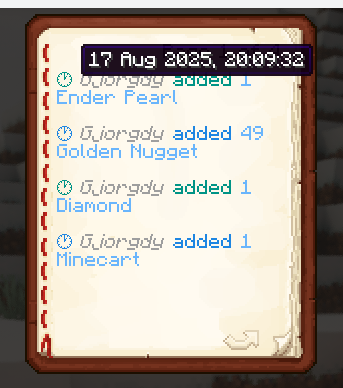
Universal Ledger is an extension for Ledger to make logs available for all players.
Intended for smaller servers to take some work away from administrators.
How to use
To start off, you need to craft the Ledger Book

To check an inventory
(chest, furnace, shulkers etc.)
right-click the inventory block using the book

To check entities
right-click in the air or any non-inventory block using the book

To check blocks
left-click the block using the book

Config
you are able to configure which triggers show which actions in the book
To change the default configuration, paste the following at the end of the /config/ledger.toml file:
[book]
# This section relates to the Universal Ledger extension
# Here you can specify what players are able to see when using a Ledger Book
# What actions should be shown when right-clicking anywhere but an inventory block
areaActions = ["item-pick-up", "item-drop", "entity-kill", "entity-change", "entity-mount", "entity-dismount"]
# What actions should be shown when right-clicking an inventory block
inventoryActions = ["item-insert", "item-remove"]
# What actions should be shown when left-clicking a block
blockActions = ["block-place", "block-break", "block-change"]
# If true, will send the logs to the player in the chat instead of opening a book
chatOnly = false
- Edition: Minecraft Java
- File type: .jar
- Minecraft version listed: 26.2
- How to install: Install the matching mod loader (Forge, Fabric or NeoForge) for your Minecraft version. → Download the .jar. → Put it in the .minecraft/mods folder and launch that loader profile.
- Where to get it: Opens on Modrinth — not every file is mirrored on our own servers.
Install steps are the general flow for this file type — How to install Minecraft Java mods & modpacks walks through it step by step.
- Ships as universalledger-1.2.1.jar — drop this file into the mods folder
- Download size: 29 KB
- Download link checked 31 Aug 2026 — working
These come from our own check of the pack file, not from the source page.