
ModsJava
secure container(security backpack)
Java mod listed for Minecraft 26.x. Downloads from the MC Java Mods app on Android.
just like in Escape From Tarkov, you can store important stuffs in the security case(secure container) without losing them after your sudden death
I don't know my version or loader
Open the Minecraft launcher and look at the profile you play on — it names both, like fabric-loader-1.21.4. The version also shows in the bottom-right corner of the game's main menu.
No loader in the profile name? Then it's plain Minecraft, and these mods won't run — you need Fabric or NeoForge installed first.
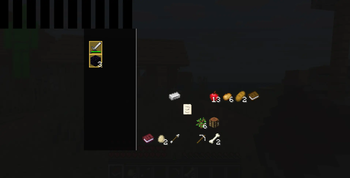
just like Escape from Tarkov, you can now secure some of your valuable stuffs in the security case. to make your security case larger, go to the server side and edit /config/securitybackpack-server.toml
Although the UI looks ugly, but it works well :)
Quick facts
- Edition: Minecraft Java
- File type: .jar
- Minecraft versions listed: 26.1, 26.1.1, 26.1.2
- How to install: Install the matching mod loader (Forge, Fabric or NeoForge) for your Minecraft version. → Download the .jar. → Put it in the .minecraft/mods folder and launch that loader profile.
- Where to get it: Opens on Modrinth — not every file is mirrored on our own servers.
Install steps are the general flow for this file type — How to install Minecraft Java mods & modpacks walks through it step by step.
File checked by MCModsHub
- Ships as securitybackpack-1.1.1.jar — drop this file into the mods folder
- Download size: 39 KB
- Download link checked 11 Oct 2026 — working
These come from our own check of the pack file, not from the source page.