
CatCapes
I don't know my version or loader
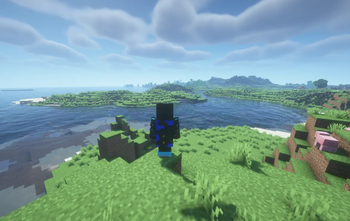

With this mod, you can change your in-game cape to anything you want! Here's how:
If you are online mode: Log on to the catcapes.jgj52.hu Minecraft server, there, type /token and click the message to copy it! Once you're done, go to ModMenu and set the token setting to what you just copied.
If you are offline mode: In the config turn off online mode Then set your cape as usual
Go to https://catcapes.jgj52.hu and upload your cape texture. You can make theese textures using something like https://skinmc.net/capes/editor. Then, after you clicked upload you will get a text on the bottom. Click it, and go to your Minecraft client, open ModMenu, find CatCapes and paste the text in Selected cape.
And you're done! Others with this mod can see your capes.
- Edition: Minecraft Java
- File type: .jar
- Minecraft versions listed: 1.21.9, 1.21.10, 1.21.11
- How to install: Install the matching mod loader (Forge, Fabric or NeoForge) for your Minecraft version. → Download the .jar. → Put it in the .minecraft/mods folder and launch that loader profile.
- Where to get it: Opens on Modrinth — not every file is mirrored on our own servers.
Install steps are the general flow for this file type — How to install Minecraft Java mods & modpacks walks through it step by step.
- Ships as CatCapes-2.3.jar — drop this file into the mods folder
- Download size: 76 KB
- Download link checked 31 Aug 2026 — working
These come from our own check of the pack file, not from the source page.