
Lets you apply enchantments to entities based on their current status effects. The enchantments to apply are determined by mob_effect tags.
Usage
Add tags via data pack at data/minecraft/tags/mob_effect/.
Example
data/minecraft/tags/mob_effect/gives_respiration.json:
{
    "replace": true,
    "values": [
        "spectral_seas:amphibious"
    ]
}
Add mappings to the configuration:
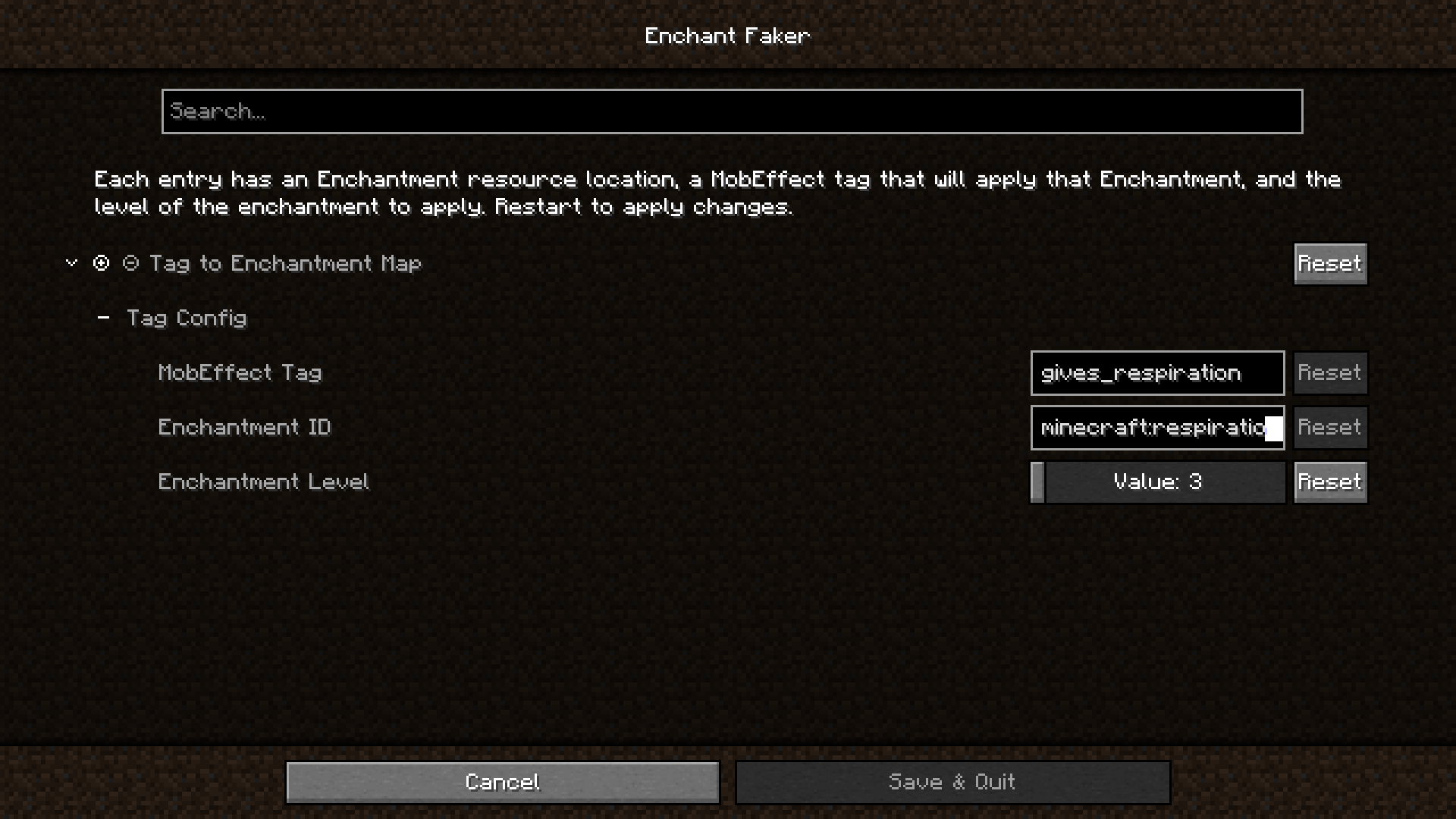
The resulting enchant_faker.json5 config file:
{
	// Tag To Enchantment Mappings
	"tagConfig": [
		{
			"tag": "gives_respiration",
			"enchantment": "minecraft:respiration",
			"level": 3
		}
	]
}
Now, whenever an entity has the spectral_seas:amphibious effect, they will also get the Respiration III
enchantment as if they were wearing a helmet enchanted with it.
You will need to restart Minecraft after any config changes.
Acknowledgements
Inspired by Lilligant
Icon: magic hat by ridhobadal from Noun Project (CC BY 3.0)
- Edition: Minecraft Java
- File type: .jar
- Minecraft version listed: 1.20.1
- How to install: Install the matching mod loader (Forge, Fabric or NeoForge) for your Minecraft version. → Download the .jar. → Put it in the .minecraft/mods folder and launch that loader profile.
- Where to get it: Opens on Modrinth — not every file is mirrored on our own servers.
Install steps are the general flow for this file type — How to install Minecraft Java mods & modpacks walks through it step by step.
- Ships as enchant_faker-1.0.2+1.20.1.jar — drop this file into the mods folder
- Download size: 33 KB
- Download link checked 31 Aug 2026 — working
These come from our own check of the pack file, not from the source page.