ModsJava
Lightning Vector & Bounding Box Visualizations
Java mod listed for Minecraft 1.21. Downloads from the MC Java Mods app on Android.
⬇ Download on Modrinth
Minecraft Debug Mod that adds commands to render boxes and vectors.
Commands
/renderbox <string> - Renders a box with the parameters parsed from a string in the format of examples below
/rendervector <string> - Renders a vector with the parameters parsed from a string in the format of examples below
/listboxes - Lists all boxes and their indexes
/listvectors - Lists all vectors and their indexes
/removebox <index> - Removes box at index
/removevector <index> - Removes vector at index
/clearboxes - Removes all boxes
/clearvectors - Clears all vectors
Examples
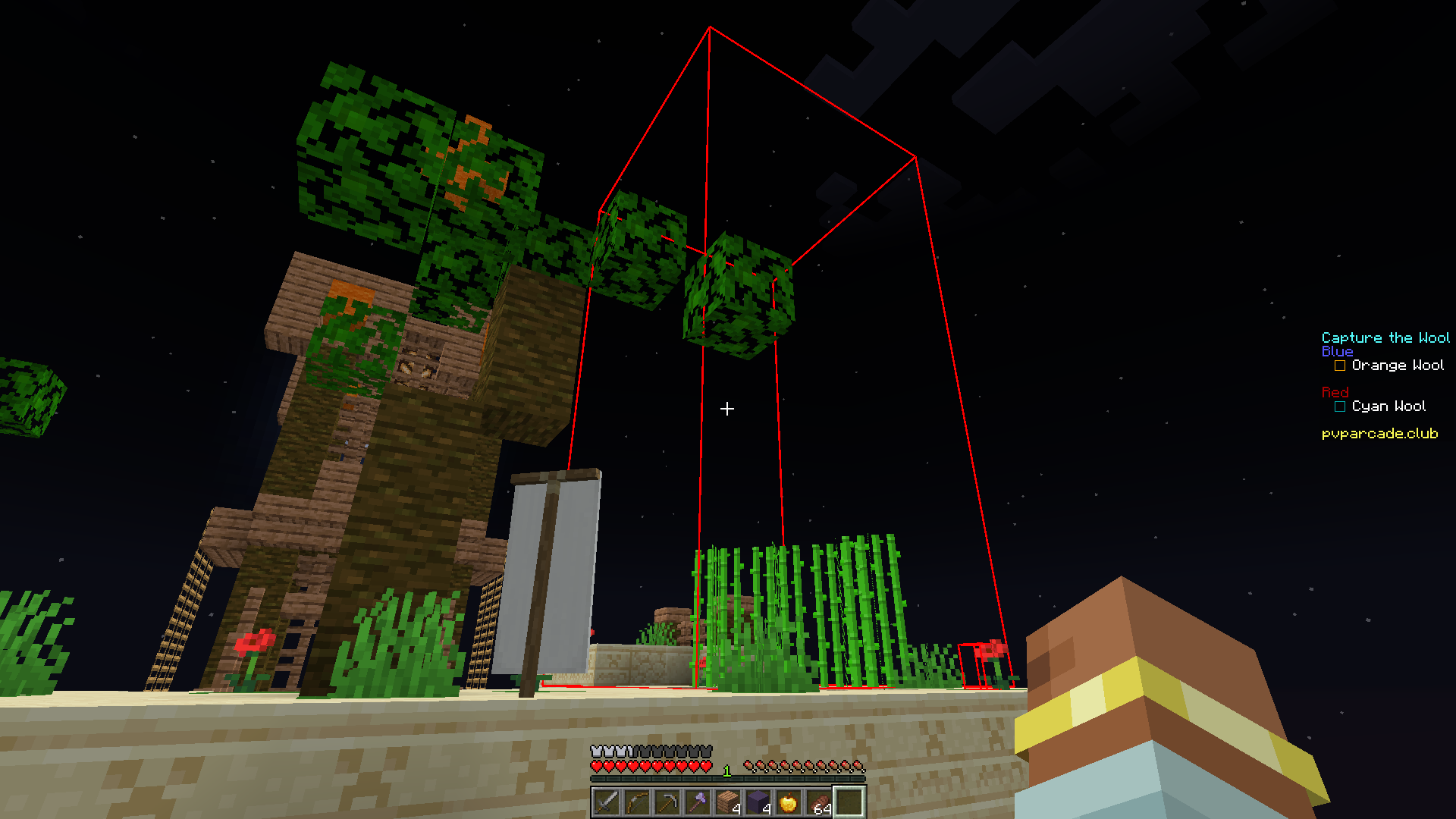
Rendering a box
/renderbox "SimpleCollisionBox{minX=0.0, minY=5.0, minZ=0.0, maxX=16, maxY=21, maxZ=16, isFullBlock=false}"
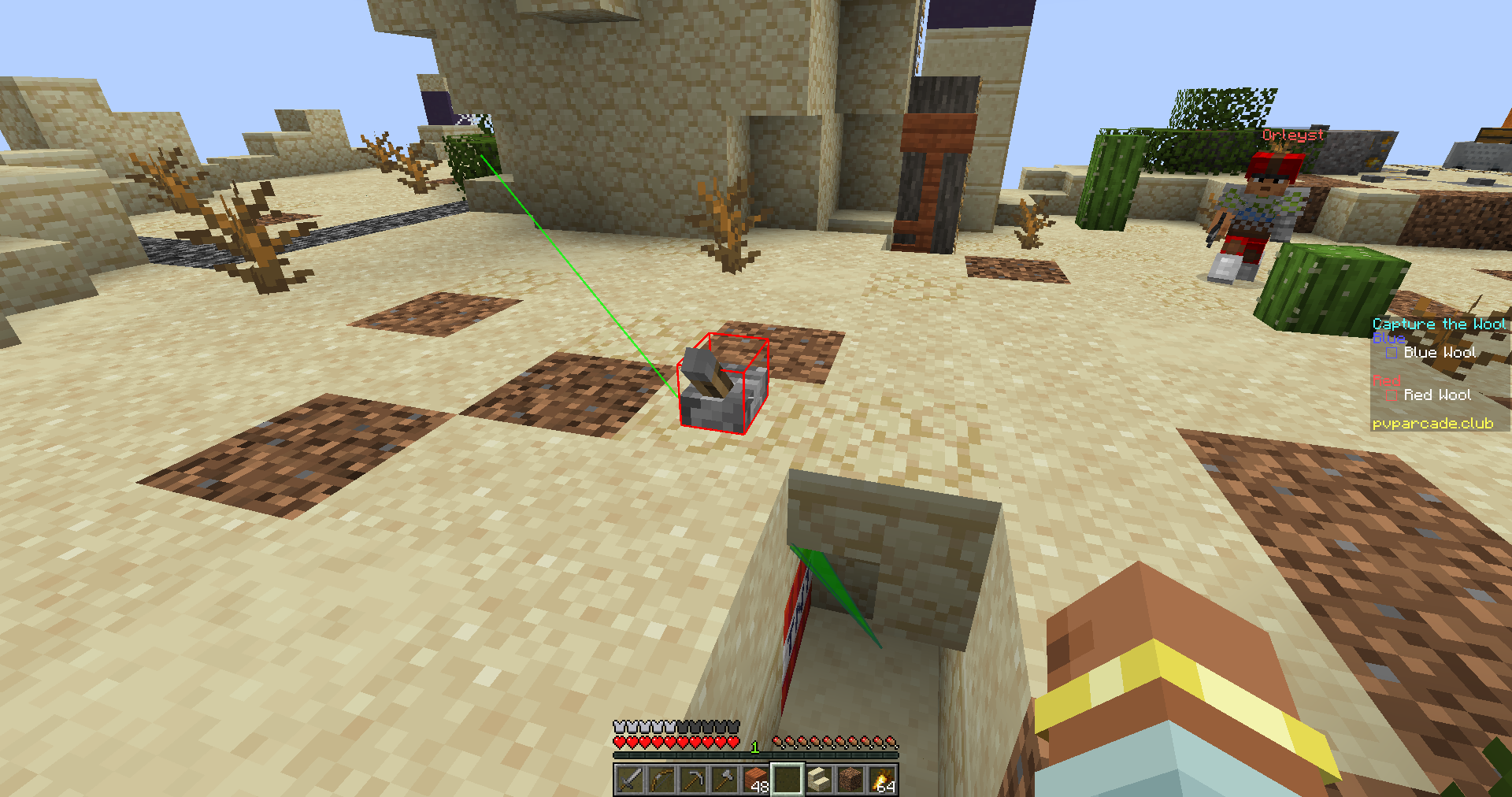
Rendering a vector and a box
/renderbox SimpleCollisionBox{minX=-229.75, minY=6.0, minZ=-127.6875, maxX=-229.25, maxY=6.375, maxZ=-127.3125, isFullBlock=false}
/rendervector origin: -229.71166162514788,6.4,-125.36631179014836 direction: 0.0980876340918071,-0.5511781573295593,-0.8286021167303872
Generating Render Strings
The odd input format is because this mod is currently built for a very specific purpose. To quickly render hitboxes and vectors for GrimAC from values copied through the Intellij debugger, as shown below.
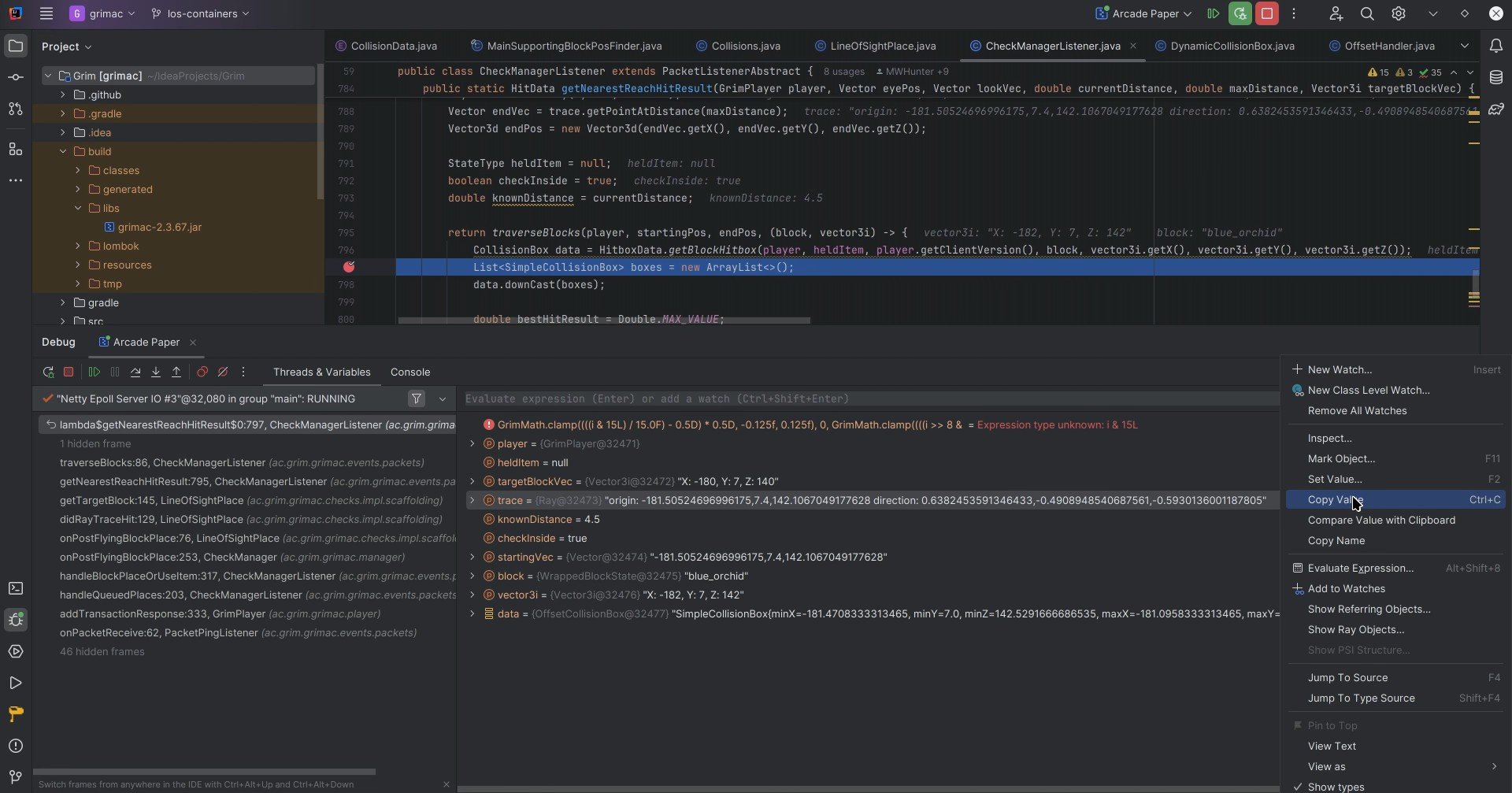
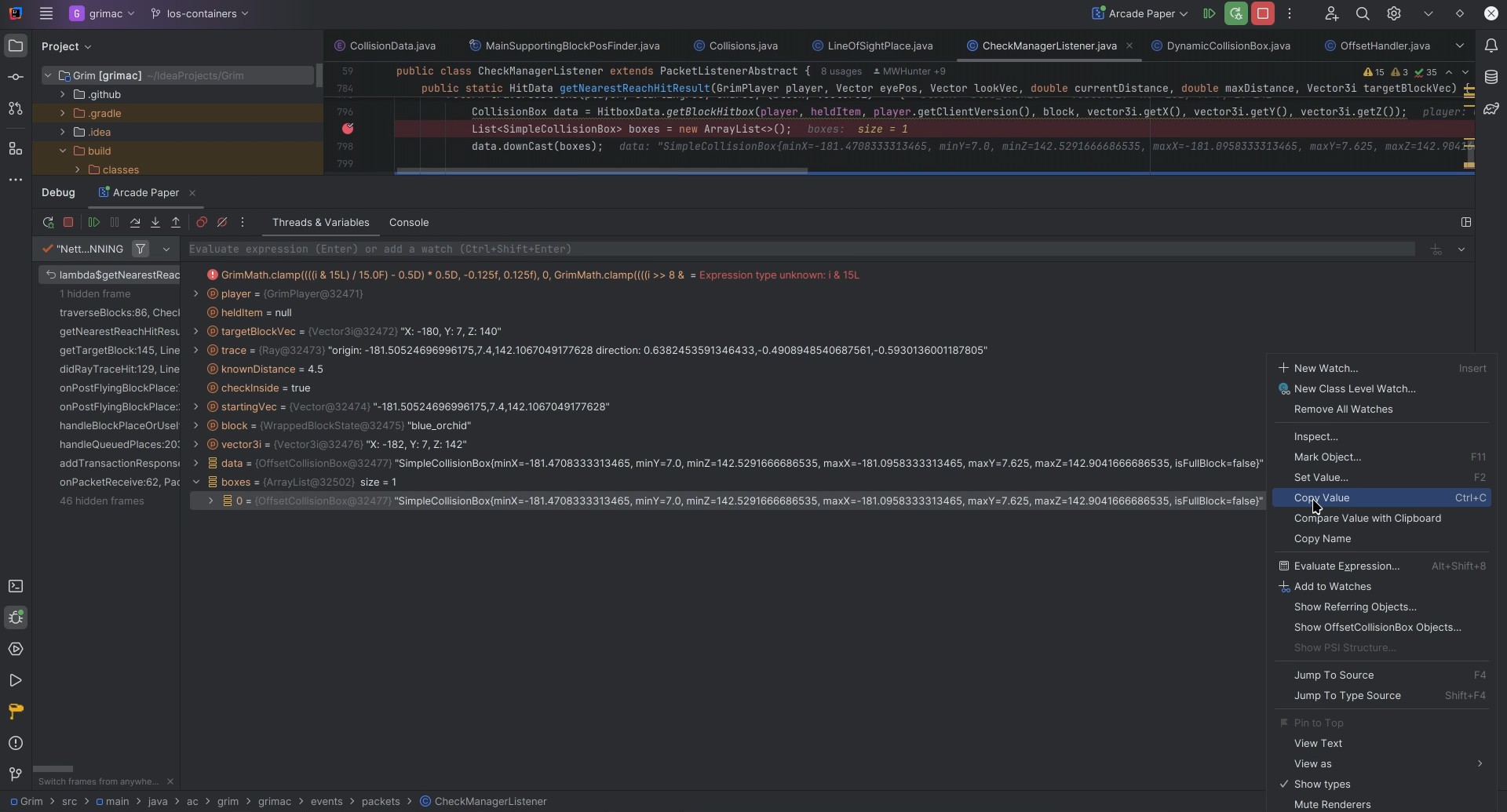 More Debug features coming soon!
Quick facts
- Edition: Minecraft Java
- File type: .jar
- Minecraft version listed: 1.21.8
- How to install: Install the matching mod loader (Forge, Fabric or NeoForge) for your Minecraft version. → Download the .jar. → Put it in the .minecraft/mods folder and launch that loader profile.
- Where to get it: Opens on Modrinth — not every file is mirrored on our own servers.
Install steps are the general flow for this file type — How to install Minecraft Java mods & modpacks walks through it step by step.
File checked by MCModsHub
- Ships as lightning-debug-1.1.0.jar — drop this file into the mods folder
- Download size: 75 KB
- Download link checked 11 Oct 2026 — working
These come from our own check of the pack file, not from the source page.