
A mod that add improvements and fixes to SoulForge.
Features
Currently, this mod:
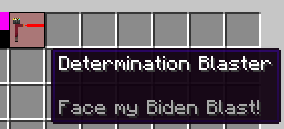
- Adds more information about abilities in tooltips
- Displays currently selected ability in the same matter as item slots in hotbar (sometimes bugs out) (2.2.1 and below)
- Fades away magic meter if not used
- Fixes incompatibility with AppleSkin (2.0.6 and below)
For the planned list of features, check out the TODO list.
Installation
This mod is installed like any other mod by downloading a jar and putting it into your mods folder.
It's important to use an appropriate version of SFA for your version of SoulForge:
| SoulForge | SoulForge Additions |
|---|---|
| 2.0.5 | 0.2 |
| 2.0.6 | 0.3 |
| 2.0.7 | 0.4 |
| 2.0.8 | 0.5 |
| 2.0.9 | 0.7 |
| 2.1.0 | 0.8 |
| 2.1.1 | 0.9 |
| 2.2.1 | 0.10 |
| 2.6.0 | 0.11 |
| 2.6.1 | 0.12 |
| 2.6.2 | 0.14 |
| 2.6.5 | 0.16 |
| 2.6.6 | 0.18 |
Versions below are not supported and above that are not listed are WIP.
Use in modpacks
This mod can be freely used in modpacks.
Attribution recommended, but not required.
Incompatibilities
- Any mod that changes how item name overlay is rendered, since we override that feature.
Quick facts
- Edition: Minecraft Java
- File type: .jar
- Minecraft version listed: 1.20.1
- How to install: Install the matching mod loader (Forge, Fabric or NeoForge) for your Minecraft version. → Download the .jar. → Put it in the .minecraft/mods folder and launch that loader profile.
- Where to get it: Opens on Modrinth — not every file is mirrored on our own servers.
Install steps are the general flow for this file type — How to install Minecraft Java mods & modpacks walks through it step by step.
Verified by MCModsHub
- Ships as SoulForgeAdditions-0.18.jar — drop this file into the mods folder
- Download size: 109 KB
- Download link checked 21 Sept 2026 — working
These come from our own check of the pack file, not from the source page.