
Auto Torch(er)
Java mod listed for Minecraft 26.x. Downloads from the MC Java Mods app on Android.
Remove some tasks from your Minecraft adventures by letting AutoTorcher handle torch placement for you in the dark! Just keep stacked is my advice
⬇ Download on ModrinthAutoTorcher
Do you forget to place torches while exploring caves? Or maybe you just want to make sure you're never in complete darkness? If so, AutoTorcher is the mod for you!
Remove some tasks from your Minecraft adventures by letting AutoTorcher handle torch placement for you. With this mod installed, torches will be automatically placed whenever you find yourself in a light level of 0, ensuring you always have visibility in dark areas, and a mob-free experience.
Let yourself mine, or eat, or just explore without needing torches in your hand. Just make sure you have torches in your inventory though.
A torch a day keeps the mobs away! Or something like that.
A little video demonstration
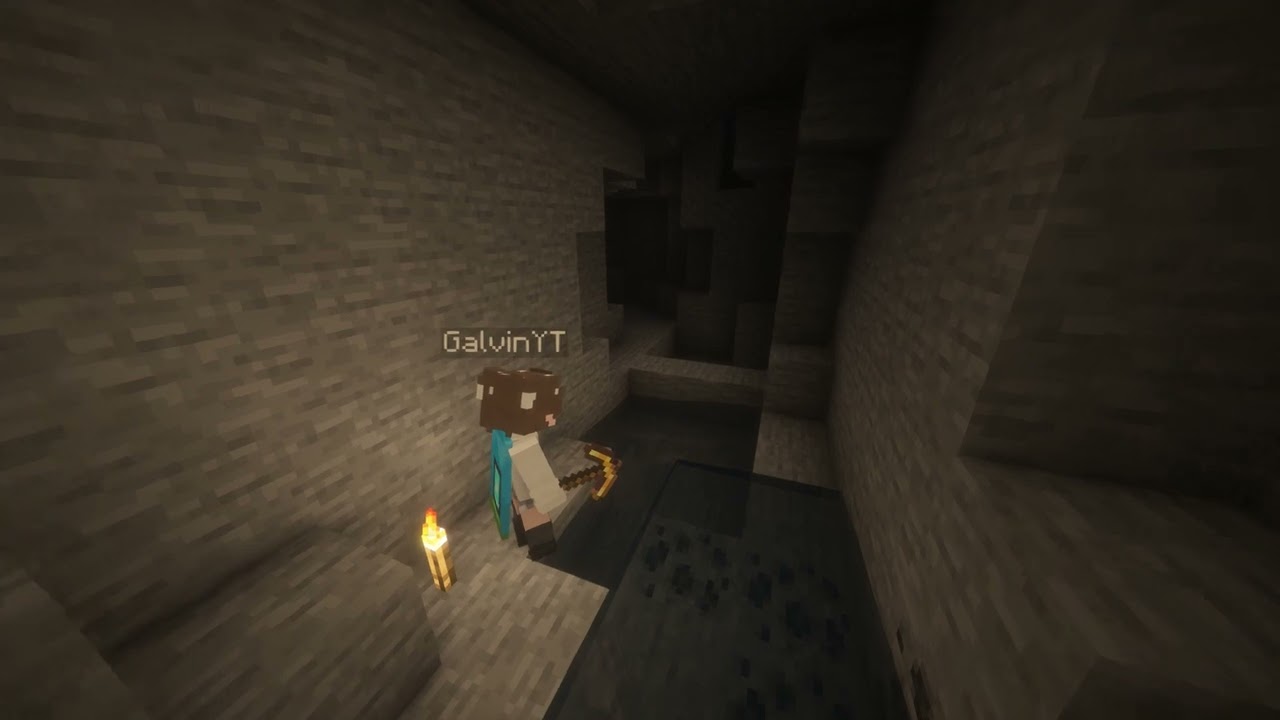
How to use
Just keep torches in your inventory, and you'll find that the surrounding space will be automatically lit up!
Supported versions
AutoTorcher is available for Minecraft versions 1.21.10 and above!
Due to the frequency of Minecraft updates now, each Minecraft version has its own .jar file. This is mainly to prevent crashes from each drop.
Please also keep your loader and Fabric API up to date to ensure the best compatibility!
Changelog
1.2.0 - 30/12/2025
- Updated for Minecraft 1.21.11
- Removes torches from being placed when in adventure mode
1.1.0 - 14/12/2025
Closes #2
Gives players the ability to toggle AutoTorch functionality for themselves. New commands for this are
/autotorch on- Turns AutoTorch on for the player/autotorch off- Turns AutoTorch off for the player/autotorch toggle- Toggles AutoTorch on or off for the player/autotorch debug- Enable debugging (admins only for servers, singleplayer requires cheats)
- Edition: Minecraft Java
- File type: .jar
- Minecraft version listed: 26.1.1
- How to install: Install the matching mod loader (Forge, Fabric or NeoForge) for your Minecraft version. → Download the .jar. → Put it in the .minecraft/mods folder and launch that loader profile.
- Where to get it: Opens on Modrinth — not every file is mirrored on our own servers.
Install steps are the general flow for this file type — How to install Minecraft Java mods & modpacks walks through it step by step.
- Ships as auto-torch-1.3.0+26.1.1.jar — drop this file into the mods folder
- Download size: 90 KB
- Download link checked 11 Oct 2026 — working
These come from our own check of the pack file, not from the source page.