
F4-
F4 is an MCTiers-approved alternative to traditional freelook mods used in clients such as Feather and Lunar, designed to comply with camera movement…
⬇ Download on Modrinth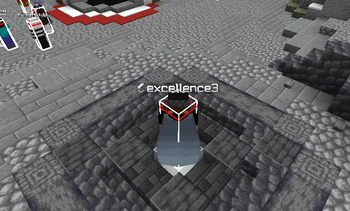
This project is an MCTiers-friendly alternative to the freelook mods or widgets found in clients such as Feather Client, Lunar Client, and others.
Freelook is banned on MCTiers because it modifies how the camera behaves. This mod complies with their mod policy by using Minecraft’s default F5 perspective while holding F4, simply switching the camera to third person without altering any camera mechanics.
You can change the F4 keybind to any key you prefer by opening the Controls menu, navigating to the F4 Keybind category, and assigning it to your desired key.
- Edition: Minecraft Java
- File type: .jar
- Minecraft versions listed: 1.21, 1.21.1, 1.21.2
- How to install: Install the matching mod loader (Forge, Fabric or NeoForge) for your Minecraft version. → Download the .jar. → Put it in the .minecraft/mods folder and launch that loader profile.
- Where to get it: Opens on Modrinth — not every file is mirrored on our own servers.
Install steps are the general flow for this file type — How to install Minecraft Java mods & modpacks walks through it step by step.
- Ships as F4-1.00.jar — drop this file into the mods folder
- Download size: 6 KB
- Download link checked 31 Aug 2026 — working
These come from our own check of the pack file, not from the source page.