
ModsJava
World Foundry
Java mod listed for Minecraft 1.21. Downloads from the MC Java Mods app on Android.
⬇ Download on Modrinth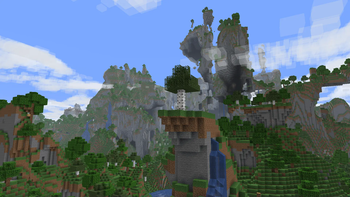
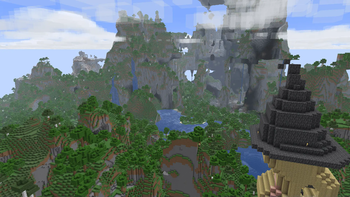
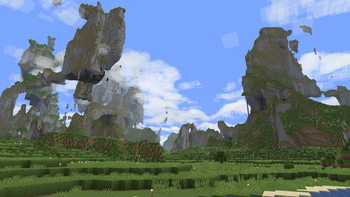

Adds a new world type to the create world screen, the Amplified-Mixed Type.
This world type rolls Regular Worlds, Large Biomes, and Amplified Terrain into one (slow) world type. There is also some configs to determine the size/frequency of certain biomes like deserts to forests.
- In Large Biome Worlds, the biomes are 8 times larger, in Amplified-Mixed, its only 4. Biome sizes are now configurable, to get the old way, set the Temperature and Humidity config values to 4
- In Amplified worlds, all terrain (above the sea level) is doubled in height, (as well as some other things that create the overhangs and whatnot), in Amplified-Mixed, it only occurs in around about half the world.
Quick facts
- Edition: Minecraft Java
- File type: .jar
- Minecraft version listed: 1.21.11
- How to install: Install the matching mod loader (Forge, Fabric or NeoForge) for your Minecraft version. → Download the .jar. → Put it in the .minecraft/mods folder and launch that loader profile.
- Where to get it: Opens on Modrinth — not every file is mirrored on our own servers.
Install steps are the general flow for this file type — How to install Minecraft Java mods & modpacks walks through it step by step.
File checked by MCModsHub
- Ships as world_foundry-2.0.0-alpha.4.jar — drop this file into the mods folder
- Download size: 107 KB
- Download link checked 12 Oct 2026 — working
These come from our own check of the pack file, not from the source page.