
NearPlayer
Is a client-side mod that allows you to detect the nearest players on the server.
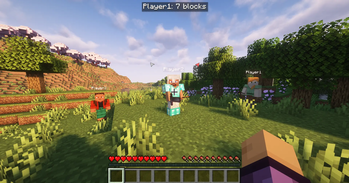
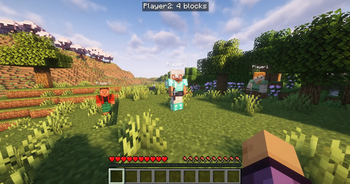
It displays the name of the nearest player, the distance in blocks, icons of their equipment (armor slots, as well as main hand and off-hand slots), and direction arrows to all nearby players on the screen.
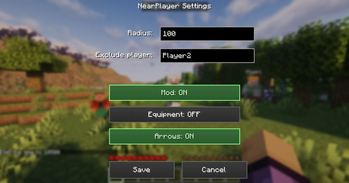
You can configure the mod directly in the game by pressing the "H" key (by default). In the settings, you can specify the radius (it may be limited by the server); if you're playing with a friend but don't want the mod to react to them — enter their nickname in the player exclusion field. Also in the settings, you can enable or disable direction arrows and equipment display.
- Edition: Minecraft Java
- File type: .jar
- Minecraft version listed: 1.21.11
- How to install: Install the matching mod loader (Forge, Fabric or NeoForge) for your Minecraft version. → Download the .jar. → Put it in the .minecraft/mods folder and launch that loader profile.
- Where to get it: Opens on Modrinth — not every file is mirrored on our own servers.
Install steps are the general flow for this file type — How to install Minecraft Java mods & modpacks walks through it step by step.
- Ships as nearplayer-fabric-1.21.11-1.0.1.jar — drop this file into the mods folder
- Download size: 141 KB
- Download link checked 31 Aug 2026 — working
These come from our own check of the pack file, not from the source page.