
PlayerUtils mod adds several new features to the game that will make your gameplay more enjoyable and convenient.
Commands:
/coords - copy your current position to the clipboard
/coords [player] - send your position to the specified player in dms
/social friend/enemy add/remove [player] - adds or removes a player to/from your friends or enemies list
/social friend/enemy clear - clears the friends/enemies list
Features:
Movement:
AutoSprint - automatically sprints
NoJumpDelay - removes jump delay
NoSlow - allows you to open the inventory or chat in a portal, and move while the options screen is open
Render:
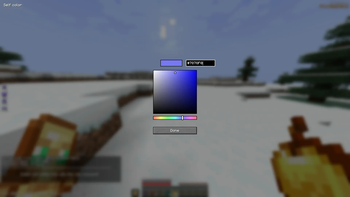
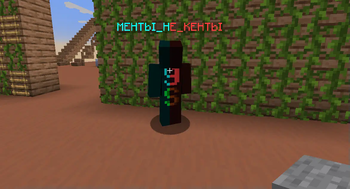
PlayerColor - changes the color of friends/enemies/yourself in chat, the tab list, alters player name colors, and player model
CameraDistance - adjusts the camera distance
NoRender - allows disabling certain in-game rendering elements
BetterHands - reduces item size in hand, changes hand bobbing
BetterArmor - changes armor color
ScreenRatio - changes the screen aspect ratio
Misc:
FreeLook - allows free third-person camera movement without changing head position
BetterChat - saves chat history upon server exit and increases the maximum number of messages in the chat
BetterTab - increases the maximum number of players displayed in the tab list
HUD:
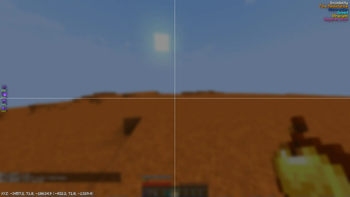
EffectList - lists active effects on the player, sorted by remaining duration (effects with shorter durations are rendered at the bottom)
Coordinates - displays player's coordinates (in brackets, coordinates for the Nether divided by 8, and coordinates for the Overworld multiplied by 8)
ArmorHud - shows the player's armor status (including durability)
- Edition: Minecraft Java
- File type: .jar
- Minecraft version listed: 1.21.4
- How to install: Install the matching mod loader (Forge, Fabric or NeoForge) for your Minecraft version. → Download the .jar. → Put it in the .minecraft/mods folder and launch that loader profile.
- Where to get it: Opens on Modrinth — not every file is mirrored on our own servers.
Install steps are the general flow for this file type — How to install Minecraft Java mods & modpacks walks through it step by step.
- Ships as playerutils-1.21.4.jar — drop this file into the mods folder
- Download size: 124 KB
- Download link checked 31 Aug 2026 — working
These come from our own check of the pack file, not from the source page.