HomeJavaModsSwapbar
Swapbar
ModsJava

Swapbar

by zandgall · on Modrinth

Which Minecraft do you have?

Every version of the game needs its own build. Pick yours, then download — the wrong build installs fine and then does nothing in the game. This mod is built for Fabric only.

⬇ Download for 26.1–26.1.2⬇ Download for 1.21⬇ Download for 1.20.4
I don't know my version or loader
Open the Minecraft launcher and look at the profile you play on — it names both, like fabric-loader-1.21.4. The version also shows in the bottom-right corner of the game's main menu.
No loader in the profile name? Then it's plain Minecraft, and these mods won't run — you need Fabric or NeoForge installed first.
Swapbar — screenshot 1Swapbar — screenshot 2

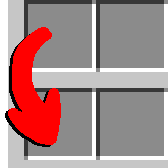
This mod adds a simple keybind that allows you to swap your hotbar for the row in your inventory above it. It specifically cycles each row of your inventory down one, with your hotbar moving to the top. Holding down 'alt' will cycle in the opposite way; each row shifting up, and the top row wrapping down to your hotbar.

For example, given this inventory: Minecraft inventory filled with survival items. Tools and blocks in the hotbar/4th row, farming items in the 3rd row, fishing items in the 2nd row, and mob drops in the 1st row. Now hitting the swapbar key, the inventory then holds: The same inventory after hitting the swapbar key. The inventory now has Farming items in the hotbar/4th row, fishing items in the 3rd row, mob items in the 2nd row, and tools and blocks in the top/first row. If you then hit the swapbar key while holding down the Alt key, you can see that it swaps in the opposite direction: The original inventory layout. Tools and blocks in the hotbar/4th row, farming items in the 3rd row, fishing items in the 2nd row, and mob drops in the 1st row.

Quick facts

Install steps are the general flow for this file type — How to install Minecraft Java mods & modpacks walks through it step by step.

Verified by MCModsHub

These come from our own check of the pack file, not from the source page.

Explore more