
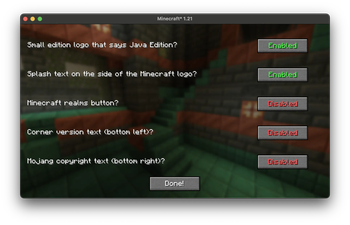
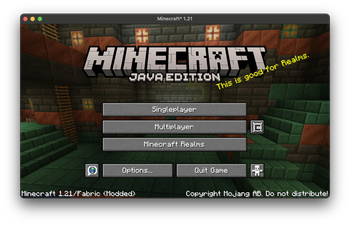
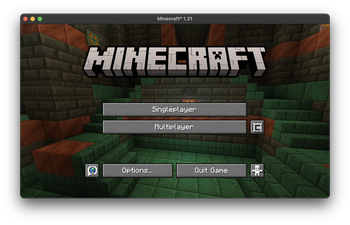
This mod is designed to clean up the Minecraft title screen. It can remove the Realms button (let's be real who actually uses realms), remove splash text, remove the edition logo, and the small texts at the bottom of the screen. It's in-game configurable
The config button is located on the right of the multiplayer button
Versioning system-.
x is the current minecraft version
y is the modpack major version
z is the modpack minor version
Major versions are released either every few minor versions, or when a big change to the modpack occurs
Minor versions are released every time a small change happens, such as the config changes or a few mods are added/removed
The version gets reset every time I try support a new minecraft version
- Edition: Minecraft Java
- File type: .jar
- Minecraft version listed: 1.21
- How to install: Install the matching mod loader (Forge, Fabric or NeoForge) for your Minecraft version. → Download the .jar. → Put it in the .minecraft/mods folder and launch that loader profile.
- Where to get it: Opens on Modrinth — not every file is mirrored on our own servers.
Install steps are the general flow for this file type — How to install Minecraft Java mods & modpacks walks through it step by step.
- Ships as clean_menu-1.0.jar — drop this file into the mods folder
- Download size: 18 KB
- Download link checked 22 Sept 2026 — working
These come from our own check of the pack file, not from the source page.