
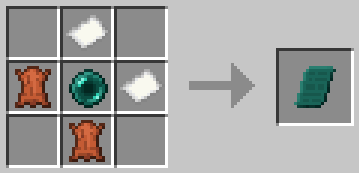
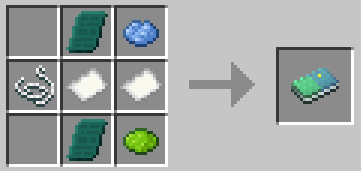
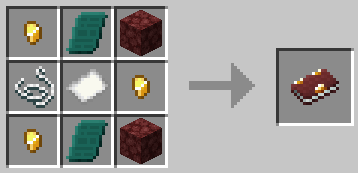
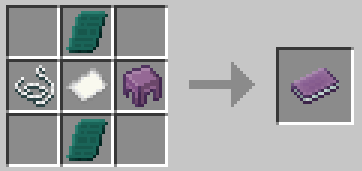
26.1.x update coming soon...
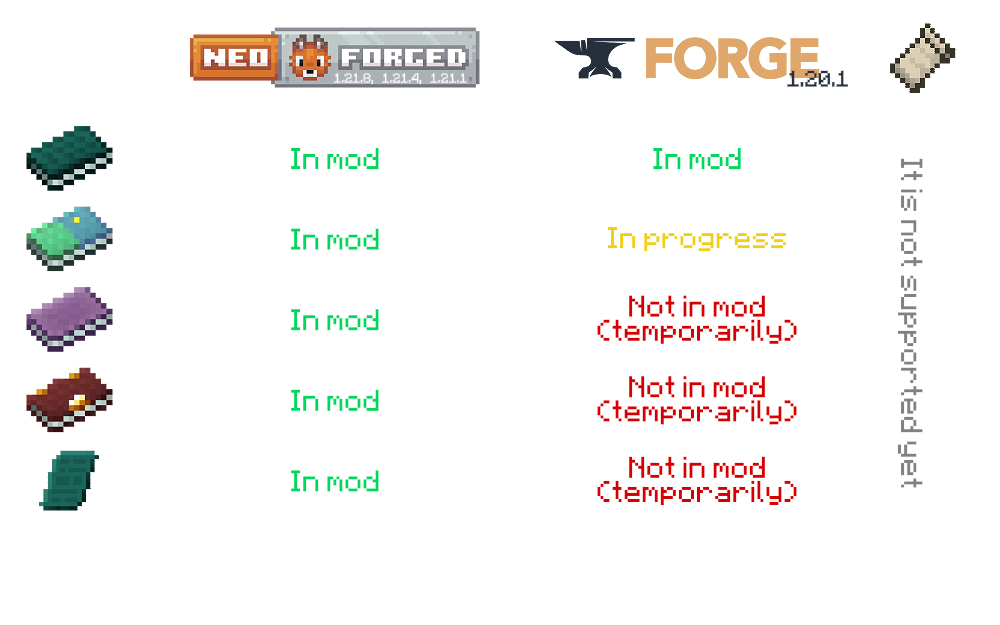
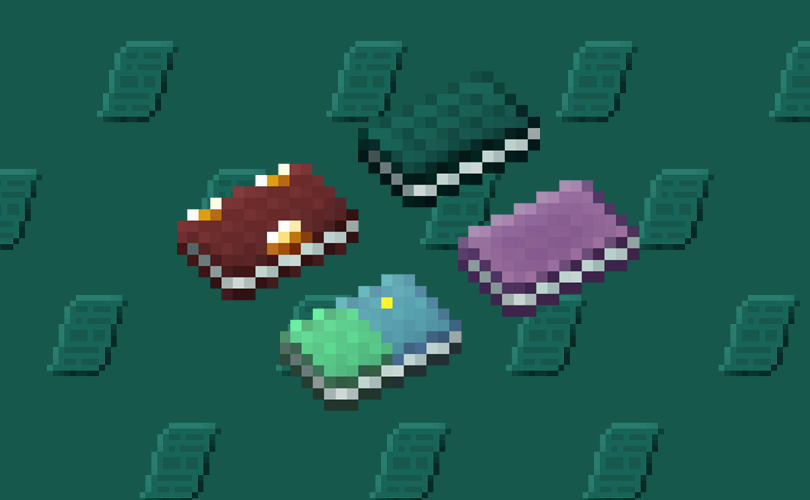
The mod adds items which allow you to save points and quickly teleport to them. There are 3 books, each of which can be used within the same dimension:
An OverworldBook for the overworld,

a NetherBook for the Nether,
a Book Of The End for the End,

& universal to all vanila dimensions - EnderBook.

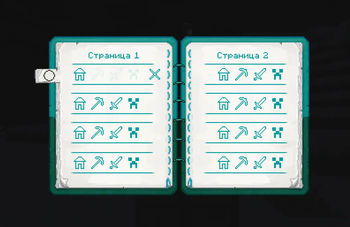
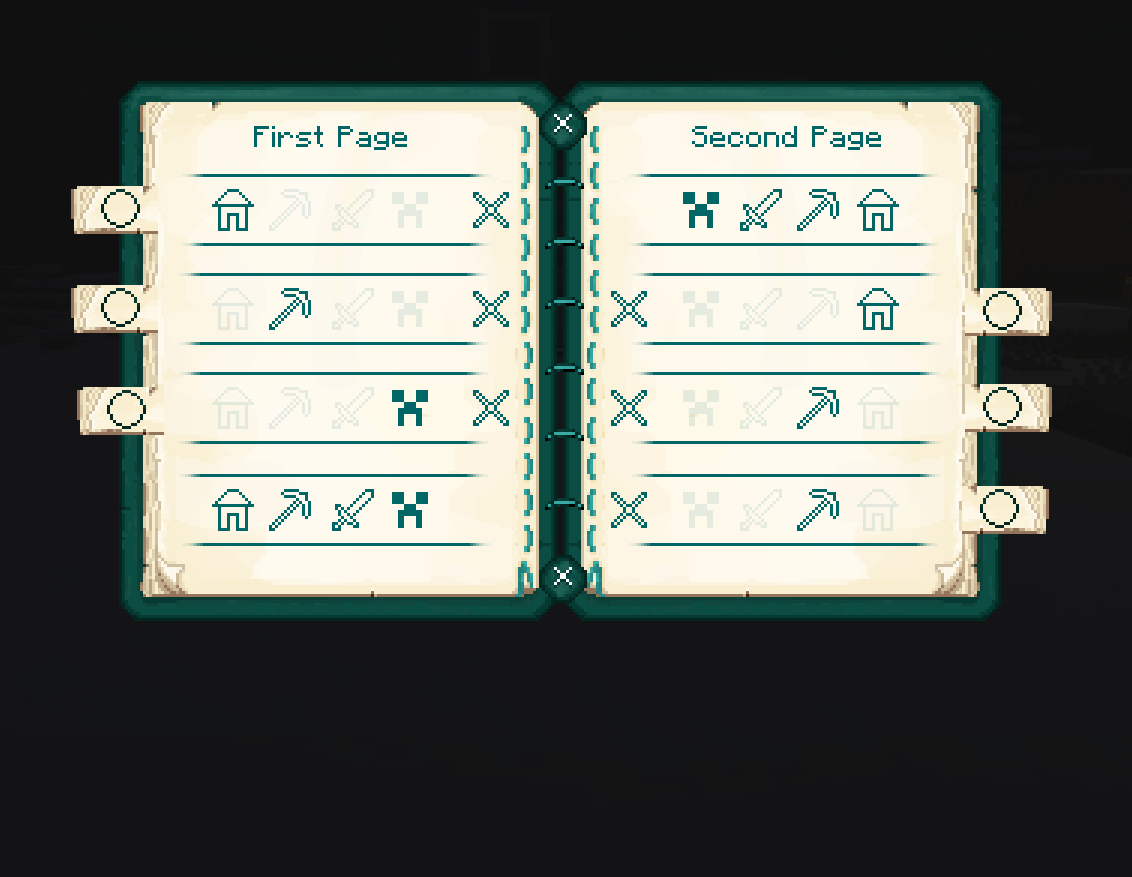
To use a book, open it, then click on one of the three or four icons to save your current coordinates. Please note that the coordinates are not saved in a book - they are saved individually for the player, as it usually works with Ender Chest.
Example with OverworldBook:
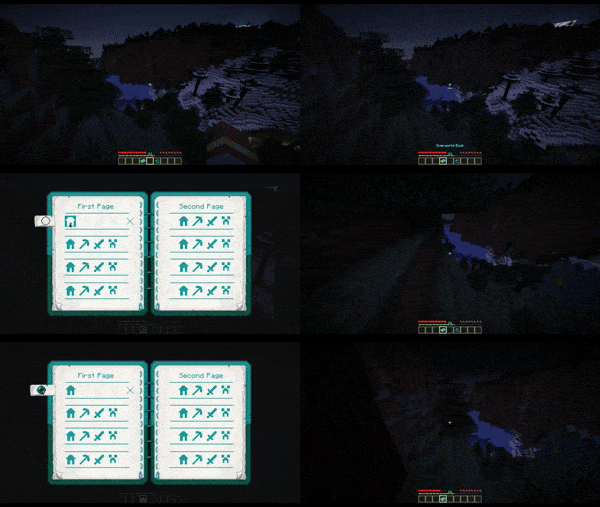
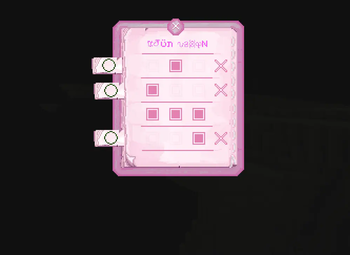
Example with Writable OverworldBook:
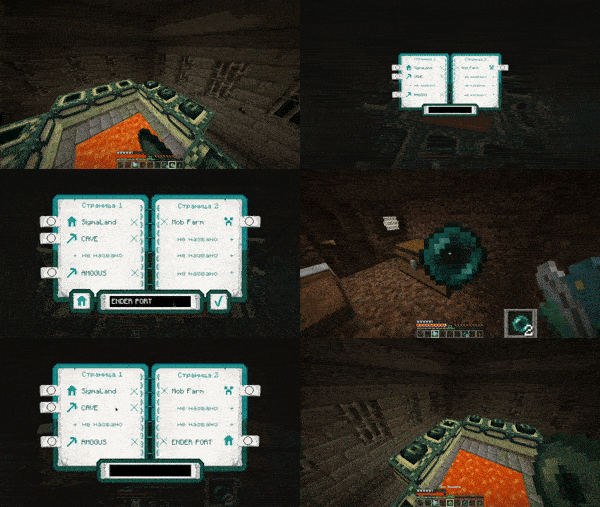
To return to a saved coordinates, you need to have at least 1 Ender Pearl in your inventory. Attach the Ender Perl to the line where is the pressed icon located, and then you will teleport.
Also this mod adds Enderpengament:

By pressing RMB draw something on it to save your place, and then - the same way swallow it to return to the saved place.
THERE ARE CONTRAINDICATIONS TO USE: slight damage is possible, loss of Ender Pearls, leg atrophy.
The mod can be installed on a modified server.
Made with
 The mod will be updated to versions supported by MCreator.
(And maybe by some generators from community)
- Edition: Minecraft Java
- File type: .jar
- Minecraft version listed: 1.20.1
- How to install: Install the matching mod loader (Forge, Fabric or NeoForge) for your Minecraft version. → Download the .jar. → Put it in the .minecraft/mods folder and launch that loader profile.
- Where to get it: Opens on Modrinth — not every file is mirrored on our own servers.
Install steps are the general flow for this file type — How to install Minecraft Java mods & modpacks walks through it step by step.
- Ships as enderbooks_forged-0.1.3.5-forge-1.20.1.jar — drop this file into the mods folder
- Download size: 482 KB
- Download link checked 31 Aug 2026 — working
These come from our own check of the pack file, not from the source page.