
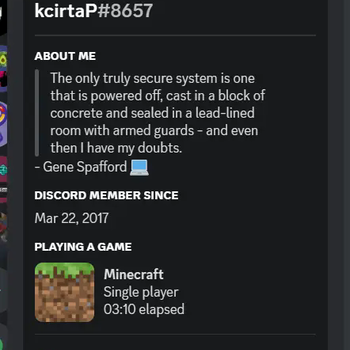
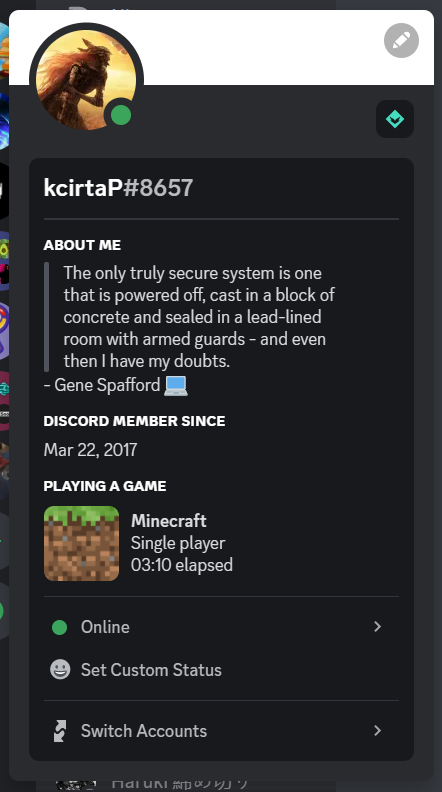
Red Discord Presence
Show to your Discord friends your fancy Minecraft status!
Report Bug
·
Request Feature
Getting Started
Show to your Discord friends your fancy Minecraft status!

Usage
Simply install the mod like every other one, launch the game and here you go! Make sure that your game status is visible on Discord.
Configuration
To edit the configuration edit config/red_discord_presence.json
(In order to save uou don't have to restart the game, just enter and exit a world or a server)
Custom app name
Create a new application on Discord developer portal and edt clientId inside the configuration (See the paragraph above)
Custom image
Open Discord developer portal and select your application, go inside Rich Presence menu
and click on Art Assets, click Add Image and upload an image. Once you have done go back
to the configuration (See the paragraph above) and change singleplayerImage with the image that you chose
when you uploaded the iamge
Contributing
Contributions are what make the open source community such an amazing place to learn, inspire, and create. Any contributions you make are greatly appreciated.
If you have a suggestion that would make this better, please fork the repo and create a pull request. You can also simply open an issue with the tag "enhancement". Don't forget to give the project a star! Thanks again!
- Fork the Project
- Create your Feature Branch (
git checkout -b feature/AmazingFeature) - Commit your Changes (
git commit -m 'Add some AmazingFeature') - Push to the Branch (
git push origin feature/AmazingFeature) - Open a Pull Request
License
Distributed under the GPLv3 License. See LICENSE for more information.
Acknowledgments
- CDAGaming for creating a nice fork of DiscordIPC
- Edition: Minecraft Java
- File type: .jar
- Minecraft version listed: 1.20.2
- How to install: Install the matching mod loader (Forge, Fabric or NeoForge) for your Minecraft version. → Download the .jar. → Put it in the .minecraft/mods folder and launch that loader profile.
- Where to get it: Opens on Modrinth — not every file is mirrored on our own servers.
Install steps are the general flow for this file type — How to install Minecraft Java mods & modpacks walks through it step by step.
- Ships as red_discord_presence-1.2.0+1.20.2.jar — drop this file into the mods folder
- Download size: 90 KB
- Download link checked 22 Sept 2026 — working
These come from our own check of the pack file, not from the source page.