
Navigation Compasses
Java mod listed for Minecraft 26.x. Downloads from the MC Java Mods app on Android.
I don't know my version or loader
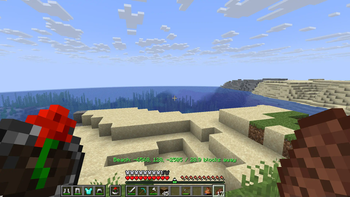
Navigation Compasses
A Polymer mod which adds compasses that locate points of interest.
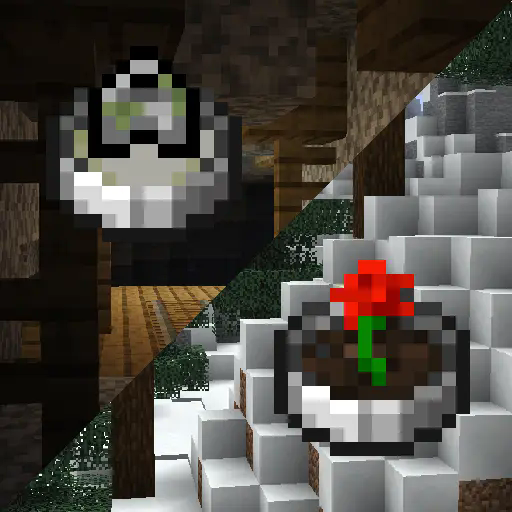
WARNING! This mod can cause extreme lag due to the nature of structure/biome location. This may be remedied in the future with async location but for now, be careful!
HEY! This mod is essentially a port of Nature's Compass and Explorer's Compass, and you should absolutely use them if you aren't targeting Bedrock or Vanilla clients.
Usage
For server owners
You can install the mod with Fabric API and it will work as intended. However, for the best experience I recommend you install Polymer and set up resource pack hosting.
There is a configuration file at config/navigation-compasses.json which lets you disable the compass items (ex. if you are running Terra you might want to disable biome locators due to the lag it causes), modify the search range (which will reduce the length lag spikes), and the search cooldown (in ticks, will probably reduce number of lag spikes).
It should work with any other structure/biome mods, though some may cause lag while locating depending on rarity.
Floodgate (Bedrock) players have special GUI handling, so it'll work great with them. (If you are concerned about item textures, you can try the heavily beta not-complete could-break no-warranty compatibility mod Bedframe, which adds Polymer textures to Geyser)
For players
The Biome Locator does what it says on the tin, it opens a menu containing every biome and lets you select one to locate.
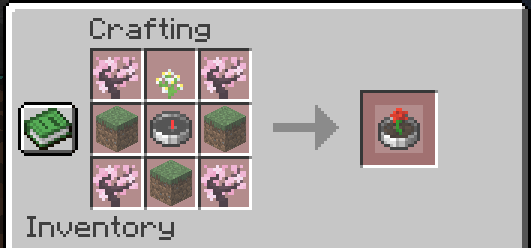
The saplings can be any kind of sapling, the dirt can be any dirt-like block, and the flower can be any short flower.
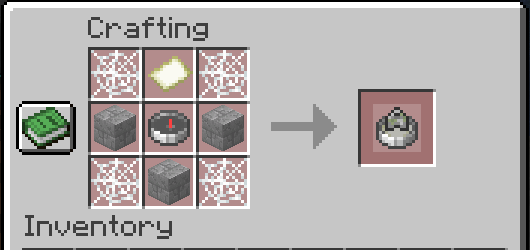
The Structure Locator works the same way but for structures.
The locators add a locator bar waypoint and action bar message to help assist with navigation.
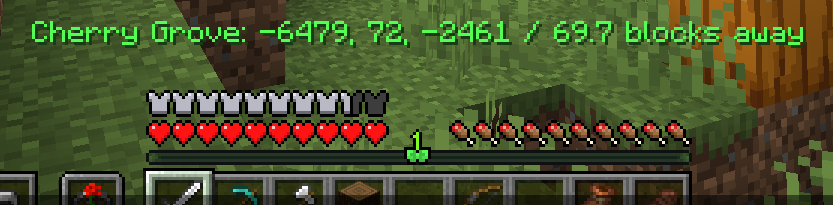
These elements are faked through some packet trickery and are only visible to the player locating.
- Edition: Minecraft Java
- File type: .jar
- Minecraft versions listed: 26.1, 26.1.1, 26.1.2
- How to install: Install the matching mod loader (Forge, Fabric or NeoForge) for your Minecraft version. → Download the .jar. → Put it in the .minecraft/mods folder and launch that loader profile.
- Where to get it: Opens on Modrinth — not every file is mirrored on our own servers.
Install steps are the general flow for this file type — How to install Minecraft Java mods & modpacks walks through it step by step.
- Ships as navigation-compasses-1.0.0.jar — drop this file into the mods folder
- Download size: 986 KB
- Download link checked 12 Oct 2026 — working
These come from our own check of the pack file, not from the source page.