
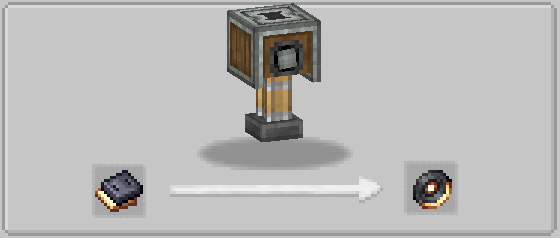

🎵 Custom Discs
Make your own music discs from any OGG audio file — and play them in a jukebox with true 3D proximity audio.
No resource packs. No server restarts. Just drop in a file and press play.
✨ Features
- Craft custom music discs from any
.oggaudio file on your computer - 3D proximity audio — sound gets quieter the further you walk from the jukebox, just like vanilla discs (requires Simple Voice Chat)
- Per-disc volume control — set the volume when making the disc, shown in the item tooltip
- Browse button — native Windows file picker so you don't have to type file paths
🛠️ How to Use
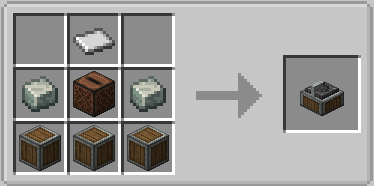
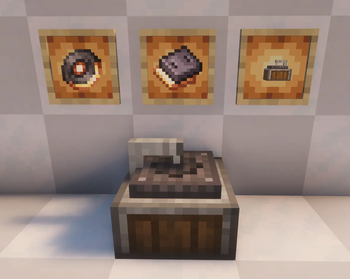
- Craft a Disc Recorder (Create mod recipe)
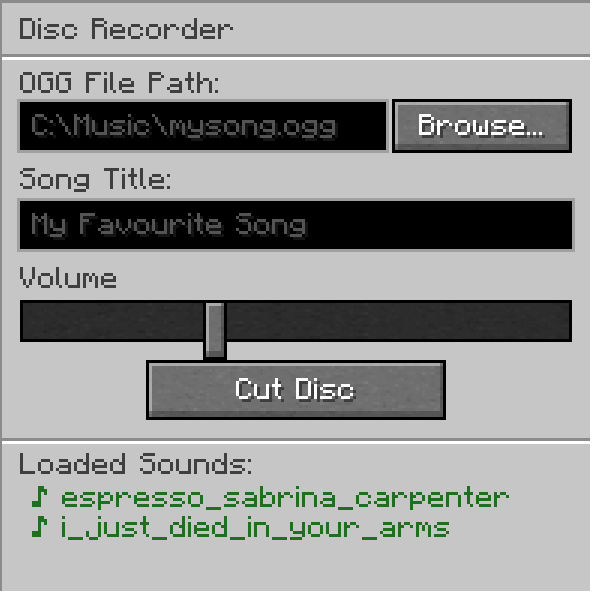
- Right-click the recorder
- Click Browse... and pick your
.oggfile - Enter a title, set the volume, and click Cut Disc
- Put the disc in any jukebox
📦 Dependencies
- Create (for the crafting recipe)
- Simple Voice Chat (for 3D proximity audio)
🐜 Bugs
- When inserting a disc, you may sometimes briefly hear the start of C418 – 13
- Not compatible with the Sophisticated Backpacks built-in jukebox (planned support coming soon)
- Version 1.0.0 – 1.2.0 has no support for servers.
Quick facts
- Edition: Minecraft Java
- File type: .jar
- Minecraft version listed: 1.20.1
- How to install: Install the matching mod loader (Forge, Fabric or NeoForge) for your Minecraft version. → Download the .jar. → Put it in the .minecraft/mods folder and launch that loader profile.
- Where to get it: Opens on Modrinth — not every file is mirrored on our own servers.
Install steps are the general flow for this file type — How to install Minecraft Java mods & modpacks walks through it step by step.
Verified by MCModsHub
- Ships as customdiscs-1.2.0-all.jar — drop this file into the mods folder
- Download size: 1.3 MB
- Download link checked 31 Aug 2026 — working
These come from our own check of the pack file, not from the source page.